
10-Marble
June 27, 2025
Solved

How to define a subroutine or an alternative to it?

  • June 27, 2025
  • 2 replies
  • 523 views

I have a large portion of calculations that I will be calling a few times and I would like to avoid repeating it


it's not a simple function f(x) = x^2, that I could just create a custom one. it has loops, etc


I saw a suggestion of putting everything in a solve block, but the solve block has these options (guess, constraints, solver) that I will not be using in my routine:
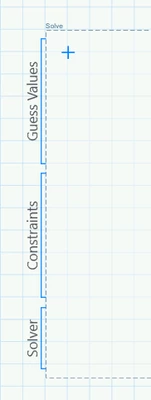
CN_13593194_0-1751036172130.png

Also, after I defined the subroutine, how do i call the results?

i am using Mathcad 9.0.0
i attached the file that contains only the part I would like to be the subroutine itself

it has the Inputs, Calculations, Outputs. Should be easy to understand the general idea.
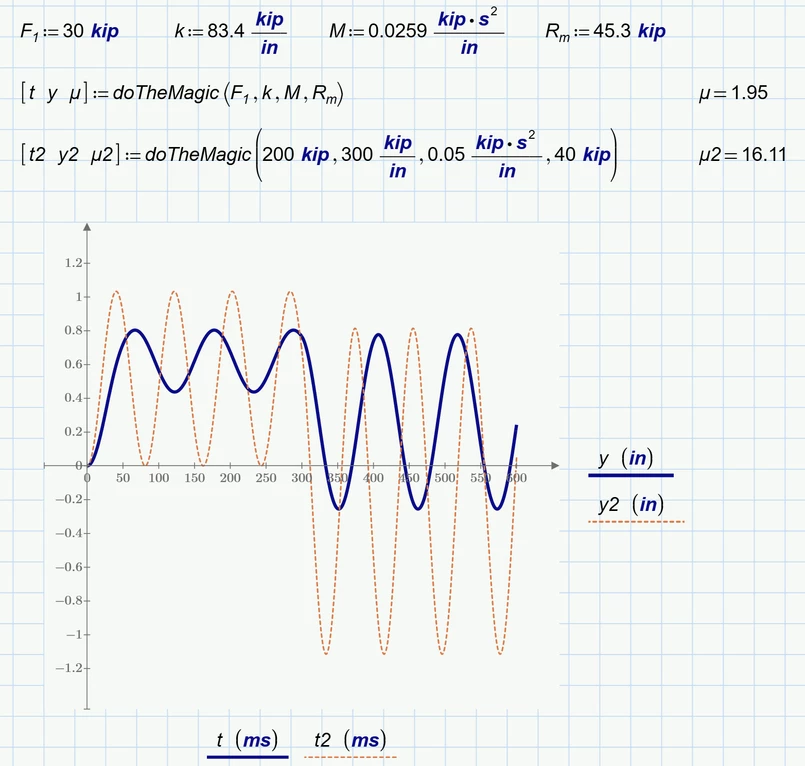
Best answer by Werner_E

Here is a way to do it:

Werner_E_0-1751042492057.png

I have omitted w/omega from the inputs because it can be calculated from k and M and I also omitted T because its nowhere  used in your calculations.


BTW, it was not that difficult in your case but it can be quite cumbersome to turn a calculation sheet into a function. It is a long standing feature request since the times of real Mathcad that a calculation sheet should be able to be turned in into a Mathcad function automatically simply by assigning the inputs and outputs.


Prime 9 sheet attached


2 replies

25-Diamond I
June 27, 2025

A parametrized solve block might be justified if the equation which you let solve by the symbolics (and then using 'max' to choose the desired solution) would be more complicated.

BTW, you could force the desired solution by using the "assume" modifier"

Werner_E_3-1751040399724.png


But in your case you simply could use directly

Werner_E_0-1751039878434.png

If the calculation would be a bit more complicated you could use the "root" function, either by providing a suitable range (can be tricky)

Werner_E_1-1751039952181.png

or by providing a guess value

Werner_E_2-1751039979618.png

A symbolic calculation cannot be used inside of a programmed function but the "root" function (and also a parametrized solve block) can be used there.


Apart from the replacement of the symbolic calculation of t.e by a numeric one I see no problem why you should not be able to turn your whole calculation into a function with six arguments and a 3-element vector/matrix as a result.

Werner_E25-Diamond IAnswer
25-Diamond I
June 27, 2025

Here is a way to do it:

Werner_E_0-1751042492057.png

I have omitted w/omega from the inputs because it can be calculated from k and M and I also omitted T because its nowhere  used in your calculations.


BTW, it was not that difficult in your case but it can be quite cumbersome to turn a calculation sheet into a function. It is a long standing feature request since the times of real Mathcad that a calculation sheet should be able to be turned in into a Mathcad function automatically simply by assigning the inputs and outputs.


Prime 9 sheet attached


netoprax10-MarbleAuthor
10-Marble
July 1, 2025

thank you, this works for me