10-Marble
June 26, 2025
Solved

Multiplying an array by a number

  • June 26, 2025
  • 3 replies
  • 739 views

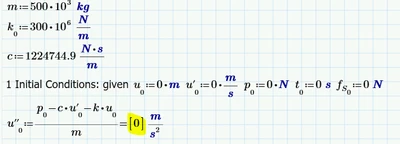
whenever I multiply an array by numbers and store it in an array I get this:
CN_13593194_0-1750958016402.png


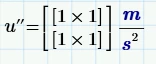
because of those brackets, if add other values to u''0 and I try to call u''0 and displays like this:
CN_13593194_1-1750958110180.png


why is that happening and what is the proper syntax to avoid this issue?
 

Best answer by Werner_E

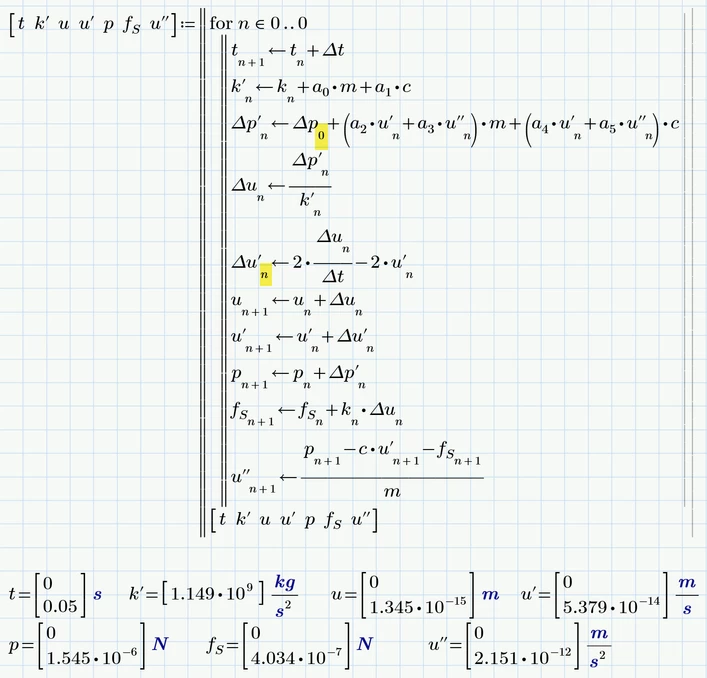
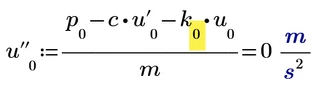
Now that you have attached the sheet we see that the problem actually is what I already wrote twice - you are missing the vector index when using "k"

Werner_E_1-1750967873804.png

There are also further vector indices missing

Werner_E_2-1750968193317.png


3 replies

25-Diamond I
June 26, 2025

Can't say for sure without seeing the sheet (which you if ever possible always should attach and say which Prime version) but it seems to me that you are using the wrong type of index when you define k0, t0, u0, etc. You seem to be using the vector/matrix index ans so you are creating a 1x1 matrix. You should rather use the literal index (keyboard short is Ctrl+-) so the zero is just a subscripted part of the name and not the index of a vector.

Or did you intend to create matrices (arrays)? Then you will have to be more concrete in explaining what exactly is the concern.
If creating arrays was done one purpose but you expected a normal numerical result for u"0 in your first picture, the reason you get a 1x1 matrix result is the usage of k instead of k0.

I see no reason for the effect in your second picture unless you somewhere have defined a value for u"1.

netoprax10-MarbleAuthor
10-Marble
June 26, 2025

yes, I am using the vector/matrix index, because they are supposed to be vectors

I attached the file

I am using prime 9.0.0.0

23-Emerald IV
June 26, 2025

You should:

1. State which version of Prime you are using.

2. Attach the worksheet (.mdcdx file).

3. Realise that there are two kinds of 'things' that result in a sort of subscript:

    a A literal subscript, which you get by typing [Ctrl-_] (That is, depressing the [Ctrl] key and then hitting the [_] key, the 'underscore'). This creates an extension to the variable. Example: variablesubscript.

   b An index (into a vector, a matrix or an array) you get this by typing a "[" (opening square bracket) followed by the index. If you look closely, when the cursor is on the expression with the index, you'll see a faint square bracket.


Now, without your worksheet I have to guess, but my guess is that you've created u0 using the [, this means that u is a single element vector, and 0 is the index to that (first) element.

The result you get for u'' is a two element vector, where each of the two elements is a one element vector.


Success!
Luc


netoprax10-MarbleAuthor
10-Marble
June 26, 2025

I am aware of the difference mentioned.


as I said, the use of the vector subscript is intentional.


however, I still dont want to obtain [1x1] when I call the vector. I need to see the actual number in the vector.

Werner_E25-Diamond IAnswer
25-Diamond I
June 26, 2025

Now that you have attached the sheet we see that the problem actually is what I already wrote twice - you are missing the vector index when using "k"

Werner_E_1-1750967873804.png

There are also further vector indices missing

Werner_E_2-1750968193317.png