
12-Amethyst
November 28, 2019
Solved

CEDM19.0 failed to load lisp file

  • November 28, 2019
  • 1 reply
  • 2632 views

Usually drag the LISP file to the modeling work area,then the function command show in the toolbox. 

But it show none in the toolbox when you do it in CEDM 19.0.

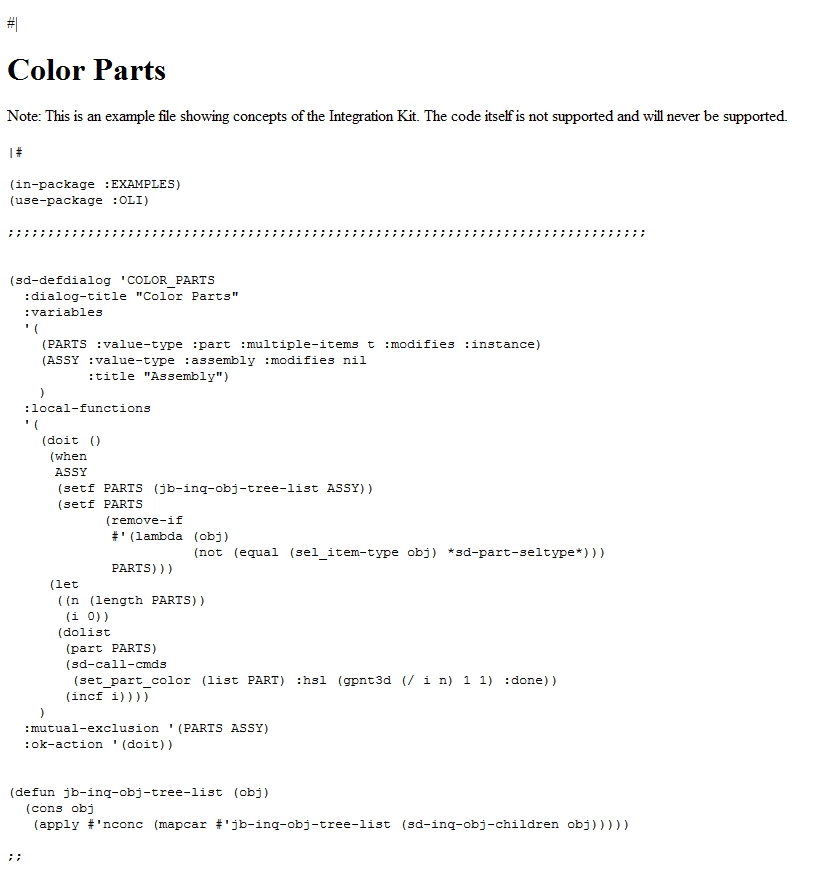
I take the example  "Color Parts"  in the integration kit,and save as a LISP file to dray to the modeling work area. It's still failure.
CEDM19.0_integration_kit_example1.png

Best answer by ThomasKirkman

New starting in 18


you have only to ad the line ":toolbox-button t" in your Lisp

:toolbox-button t

1 reply

16-Pearl
December 2, 2019

New starting in 18


you have only to ad the line ":toolbox-button t" in your Lisp

:toolbox-button t

bjyuen12-AmethystAuthor
12-Amethyst
December 3, 2019

Yes,it's work as your suggestion.

Thank you very much.

16-Pearl
December 3, 2019

I am happy to help.


Tom