
1-Visitor
February 23, 2011
Question

5.0 schools ed M040 - program hang/crash

  • February 23, 2011
  • 3 replies
  • 6843 views

I just downloaded the Wildfire 5.0 Schools Edition today, to do the education tutorial so we can get our district licensed.

I am currently just playing with the software, though I know a bit about CAD programs so I understand the basics.

,

I have found a definite, repeatable crash in the software using the example models included with the basic installation.

Environment:

- Windows XP 32-bit SP3

- Intel Q9450 / Quad Core2 2.66ghz / 4 gig RAM

- nVidia GTX 285 1024 meg

- 32 bit install of Wildfire 5.0 Schools Edition, date code M040

Steps to reproduce:

1. Run the software

2. Open example assembly "cam_follower.asm" in:

C:\Program Files\ProENGINEER Schools Edition\demos\demo\mdx\tutorial3

3. Don't do anything to the assembly or view, leave everything at defaults.

4. Go to Analysis menu, "Motion Analysis"

5. Don't choose anything here, just click Run button 7 times.

Everything looks good.

6. Click Run button the 8th time...
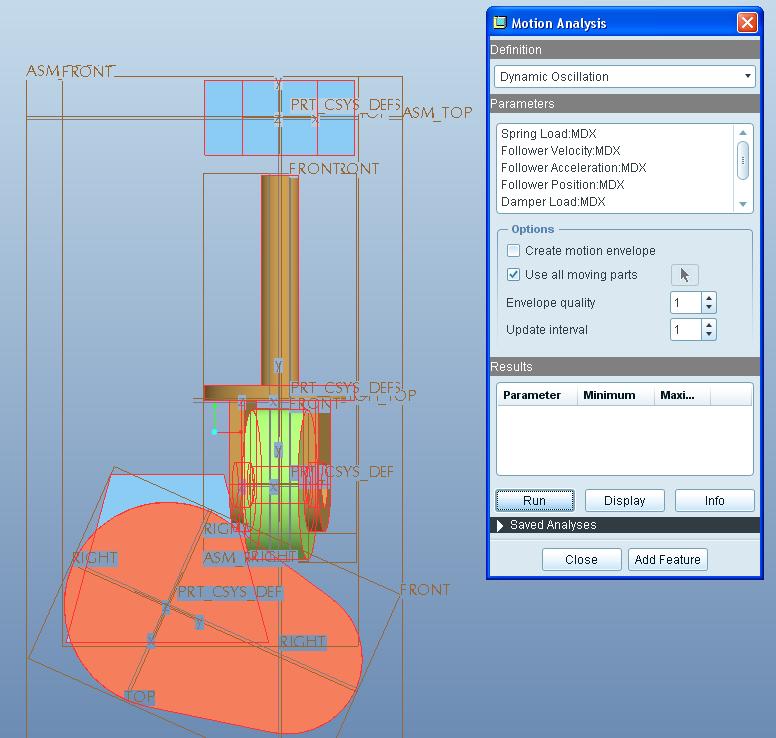
cam-example-motion-error.JPG

Oh dear, the follower has spun around on a weird axis, flipping so it is now perpendicular to the cam.

Menu options don't show a way to deal with this. Cannot undo, cannot revert.

,

7. Click Run button the 9th time...
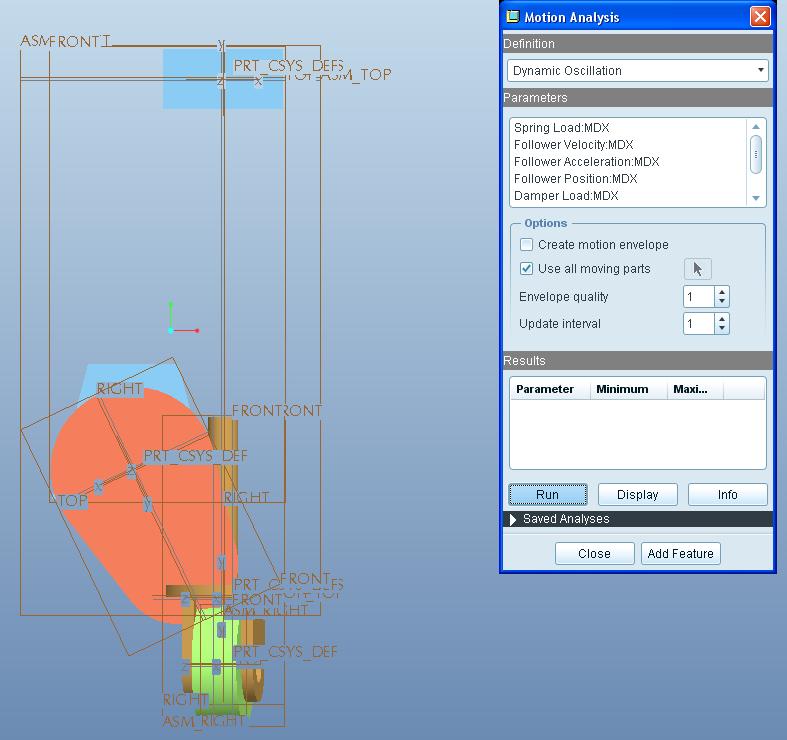
cam-example-motion-fail-and-hang.JPG

Follower now moves bizarrely, penetrates the cam, and Pro/E 5.0 locks up hard with an hourglass.

8. No way to cancel out of this. Have to End Task to deal with it.

Help?

- Dale

    3 replies

    1-Visitor
    February 23, 2011

    Hmm, I see the tech support for this software is ridiculously obtuse. No, I don't have a case number, contract number, or anything else. No it's not business critical or whatever. I'm using the free educational trial.

    Where is PTC's "non-premium / free support"? Oh yeah, hello everyone here...

    ,

    Though I somehow think their support people might want to know about such an easily reproduced hang/crash problem.

    I do not see a way to just simply "report a bug" if I haven't paid for support services. Oh well, PTC's loss I guess.

    - Dale

    March 3, 2011

    Dale,

    The analysis runs for me without issue. Did you first go into Mechanism mode Applications> Mechanism and run the Analysis called Dynamic Oscillation? After you do this, you should be able to run the analysis from within the Motion Analysis tool.

    Regards,

    Adam

    1-Visitor
    March 9, 2011

    It is likely your graphics card, not certified for Pro/E

    Even if it is, its usually the problem

    Is it repeatable with other assy's?

    Try setting config.pro option:

    graphics opengl

    Let me know all issues and I will support all I can

    BTW, are you involved w FRC Robotics contests too?

    Good Luck

    Tom

    1-Visitor
    March 13, 2011

    It is repeatable. I have recorded videos of it for you to examine, using CamStudio.

    The first is with no "graphics" setting in config.pro:

    While making this and observing the follower wheel closely, I noticed that it begins to drift and rotate a few degrees out of paralle, on the 7th Run cycle. I am zooming in and examining this very slight misalignment before Run #8 where it completely flips to perpendicular, and the Run #9 where it penetrates the cam.

    I accidentally found a way out of the hourglass hang... pressing the middle mouse button to spin the assembly immediately gets out of the hourglass and I can use the program normally after that.

    The second is with the setting "graphics opengl" in config.pro .... no change:

    1-Visitor
    March 13, 2011

    (As far as contest involvement goes, no, I am not an accredited teacher but the school district IT manager / network administrator. I am trying to learn Pro/E to help make things easier for the tech-ed teacher and to be able to help students. We are not involved in any contests because this is at the level of being a feasibility study, finding out if it will work with our equipment and so forth.)