1-Visitor
January 31, 2014
Question

CREO2 Parametric - Lighting

  • January 31, 2014
  • 1 reply
  • 4093 views

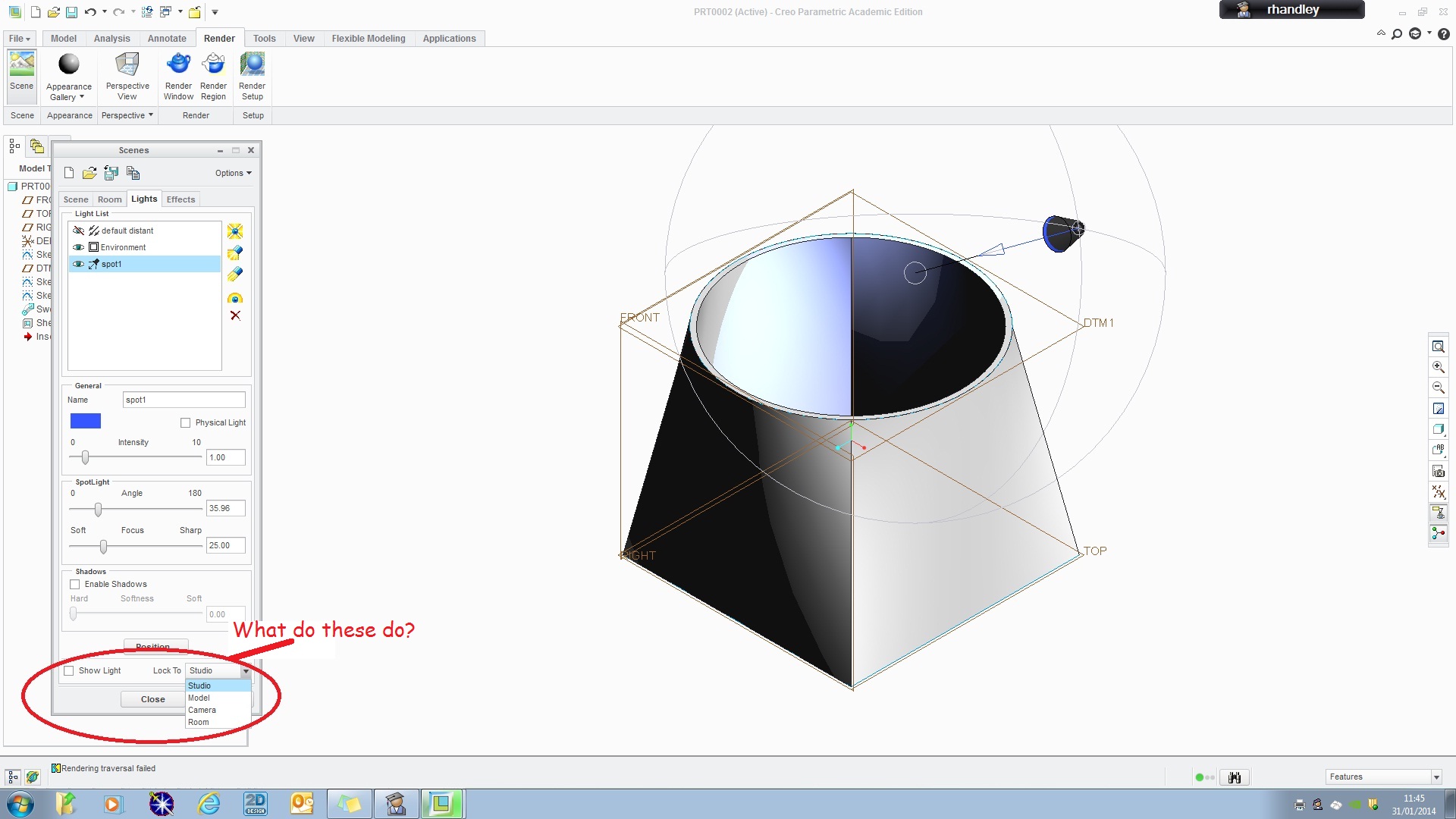
Can anyone explain to me what the highlighted areas are for in CREO2 Render-Scene-Lights. Despite much playing with rendering, I have not, as yet, found the purpose of these.

Thank youCreo+Lighting.jpg
    1 reply

    1-Visitor
    January 31, 2014

    The list you are asking about specifies what the light(s) are locked to. Locked to Room the model can be rotated and light will remain staitonary on screen. Lock the light to the model and it will rotate with the model. Teh PTC Creo Help adds more detail.

    From the Lock To list select one of the following options to fix the light to an object or view:


    Studio—Fixes a light to the studio. The light illuminates the same point in the view at all times, independent of the room and model rotations.


    Model—Fixes a light to the model. The light illuminates the same point on the model at all times, independent of the viewpoint.


    Camera—The light is fixed in a position relative to the camera.


    Room—Fixes light at the same position, relative to the room. For example, if you place a light in the top left corner of the room, it always stays in the same corner of the room.
    1-Visitor
    January 31, 2014

    Thanks for that Tim. I assumed it was something like that but can't honestly say I can see the use for it at present. What does the 'Show Light' button do - I can't spot any difference whether the button is checked or not.

    Thanks

    Roy

    1-Visitor
    February 2, 2014

    Trying to runplms4schools.bat produces a message in a dos window stating that Creo is already pointing to the correct server. The error screens I posted are when trying to log into the learning connector. Any other suggestions would be welcome.
