1-Visitor
March 2, 2014
Question

Creo 2.0 and 3D connexion mouse

  • March 2, 2014
  • 3 replies
  • 8125 views

I have Creo 2.0 student license and working good.

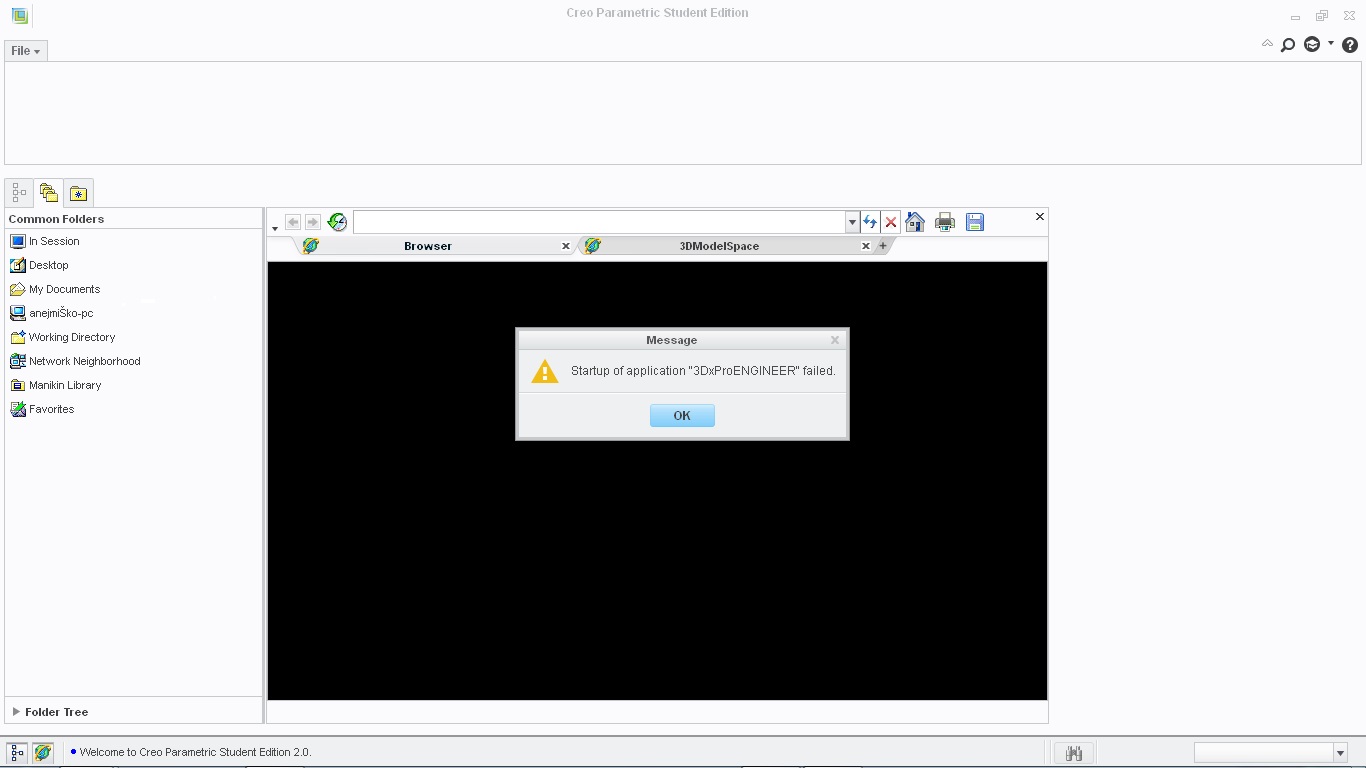
When I have install 3D mouse ( http://www.3dconnexion.com ) Creo not working any more.

I need help how to fix this problem.

Creo+problem.jpg

Thank you for help

    3 replies

    5-Regular Member
    March 4, 2014

    Hi Anej,

    Can you confirm that everything is working fine when the mouse is not plugged in? This is a very interesting error, and I am looking into it.

    Thanks for bringing it to our attention!

    17-Peridot
    March 4, 2014

    If it helps, I am using 3DConnexion release 3.17.4; driver version 6.17.4; on firmware version 4.31 running Creo 2.0 M040 full version. No issues.

    1-Visitor
    March 7, 2014

    I think that this may help, but no guarantees. Try opening file --> options --> general --> navigation --> select PTC CREO from the drop down box next to the Navigation tag and check "enable use of 3dConnexion Devices" and "keep selection when swtching between figures" boxes then click "OK". You may need to shut down CREO and re-open it for the changes to take afffect, but hopefully this will resolve the problem.

    1-Visitor
    March 12, 2014

    I don't find that.

    Where I need to do that in Creo or in mouse software?

    1-Visitor
    March 12, 2014

    I have tried to uninstall 3D mouse and Creo works good (no problem), afert that i install back 3d mouse and Creo not working any more (same problem like on photo).

    Conclusion:

    3D mouse wireless not working with Creo 2.0 student edition

    Any one have solution for my problem??