
1-Visitor
August 27, 2019
Solved

Group single objects in Creo Illustrate Professional 6.0

  • August 27, 2019
  • 1 reply
  • 2158 views

Hello,


i have another question. Is there a possibility to group single objects to one module?

For example i want to move a door in my 3D-model. The .STP Import created many single objects.

Now i have to mark five single objects to move the door. I want to group the five marked objects and

name them "Door". 
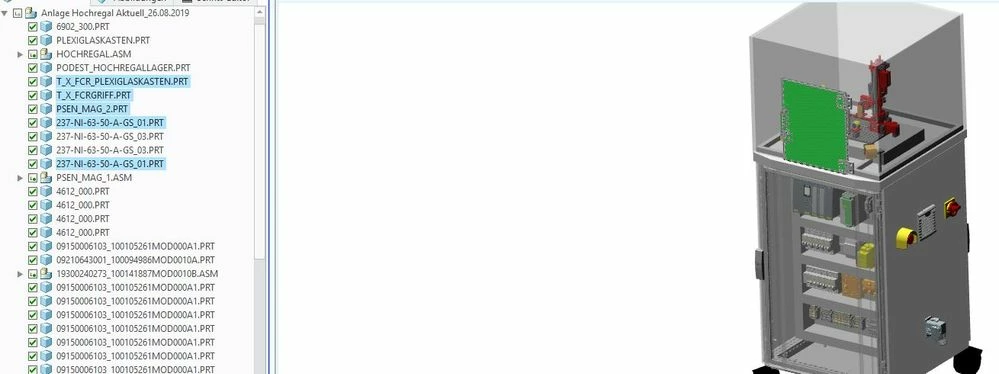
 

Group Objects.JPG


I want to group the blue marked objects in the picture. This would make everything much easier.


Thanks for your help.


Best regards 

Marco

Best answer by MartinHanak

Hi,

maybe sBOM functionality will solve your problem.

Start on https://support.ptc.com/help/creo/illustrate/r6.0/en/index.html#page/creo_illustrate%2Fgxy1335.html%23

1 reply

24-Ruby III
August 28, 2019
MarcoNFT1-VisitorAuthor
1-Visitor
September 16, 2019

Hi,


i'm bit late. Today i tried to group my marked Objects and it worked!

Thank you very much for your help.


Here is my grouped object named "Door_Acrylic glass box"

grouped objects_creo.JPG