
1-Visitor
September 26, 2017
Solved

Infinite Hangup Using Photorealistic Rendering

  • September 26, 2017
  • 1 reply
  • 2848 views

Hello all,

I recently got my Premium license for Creo 4.0 and was extremely excited to start using the new rendering system... unfortunately, every time I click the button, it hangs infinitely in Creo, and eventually my computer stops responding altogether. I don’t have a computer that is in a certified configuration, but it’s also not like I’m on an ancient machine either. Other than this, I can use Creo 4 fine as far as I can tell. Has anyone else encountered this issue?
Best answer by MartinHanak

Hi,


I did a simple test with Creo Parametric 4.0 M020.


1.) start Creo ... xtop.exe process consumes 151 968 K
2.) open mh01.prt ... xtop.exe process consumes 172 972 K
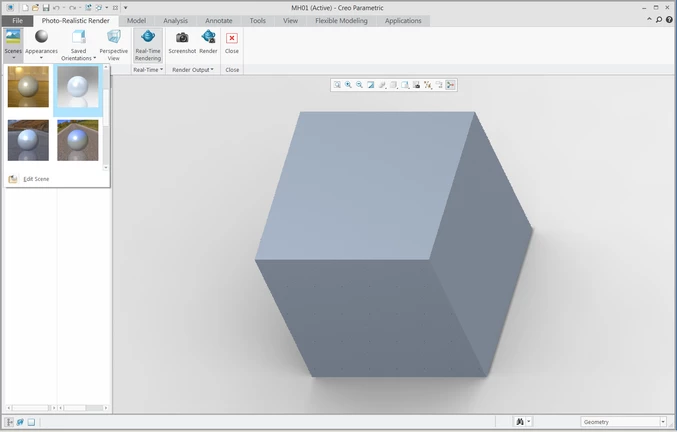
3.) switch to Keyshot mode ... xtop.exe process consumes 236 292 K
pic01.png
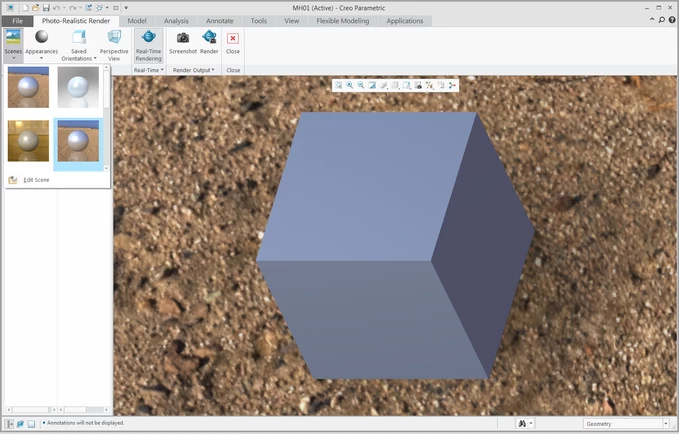
4.) background change ... xtop.exe process consumes 652 264 K
pic02.png


This means that background image complexity/quality is important.

1 reply

24-Ruby III
September 26, 2017

Hi,


can you see Creo4_LOADPOINT\Creo 4.0\Mxxx\Common Files\apps\KeyShot directory containing about 96 files (~ 30 MB) ?

1-Visitor
September 27, 2017
Yeah, I have that folder with exactly 96 files. I tried opening up again and it appears that it very quickly balloons in how much memory is being used by Creo— ending up at around 13GB when my computer stops responding! Is there a recommended amount of memory for the render studio extension?
24-Ruby III
September 27, 2017

Hi,


I did a simple test with Creo Parametric 4.0 M020.


1.) start Creo ... xtop.exe process consumes 151 968 K
2.) open mh01.prt ... xtop.exe process consumes 172 972 K
3.) switch to Keyshot mode ... xtop.exe process consumes 236 292 K
pic01.png
4.) background change ... xtop.exe process consumes 652 264 K
pic02.png


This means that background image complexity/quality is important.