1-Visitor
February 11, 2018
Question

Installing Creo 4.0 licence problem

  • February 11, 2018
  • 1 reply
  • 2857 views

Hi,


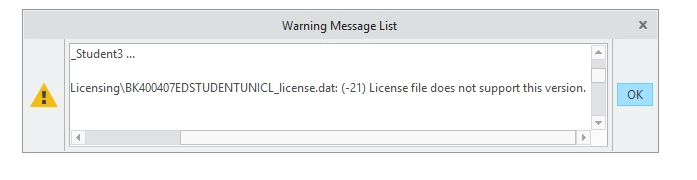
I installed program normal, tried to run it and it was problem with licence. I red some of the conversations here and I uploaded the licence again. The message shows that this licence doesn't support this version. Please help!
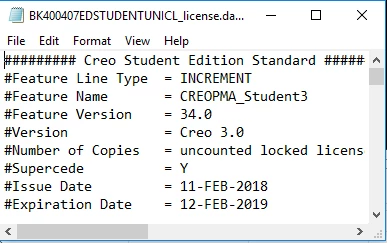
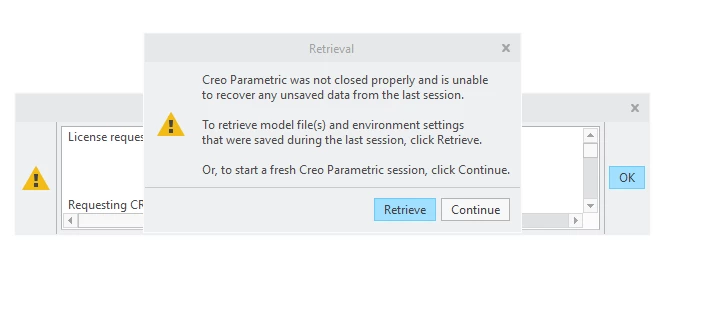
 

Capture.PNG

Capture2.PNGCapture3.PNG


1 reply

24-Ruby III
February 13, 2018

Hi,


if you want to use Creo 4.0, then


  • move current license file from C:\ProgramData\PTC\Licensing somewhere else
  • launch setup.exe from Creo 4.0 installation media
  • enter Product code

K-12       students can use Product code BE410708EDSTUDENTEDK12
University students can use Product code BK410705EDSTUDENTUNICL

1-Visitor
February 13, 2018

Hi Martin,


unfortunately, I have the same problem.


1.JPG


2.JPG


I can not remove the old licence from Creo 2.0 on my computer. The folder is empty: C:\ProgramData\PTC\Licensing, but the licence from 2015 ist present.


3.JPG


The new licence is installed successfully.


55.JPG

 And Creo is not working, why? I ask for help. Thank you very much!


24-Ruby III
February 19, 2018

Hi,


open Windows Explorer, enter C:\ProgramData\PTC\Licensing into its address bar and publish picture of Windows Explorer window.