
1-Visitor
August 19, 2020
Question

Licensing code

  • August 19, 2020
  • 2 replies
  • 3861 views

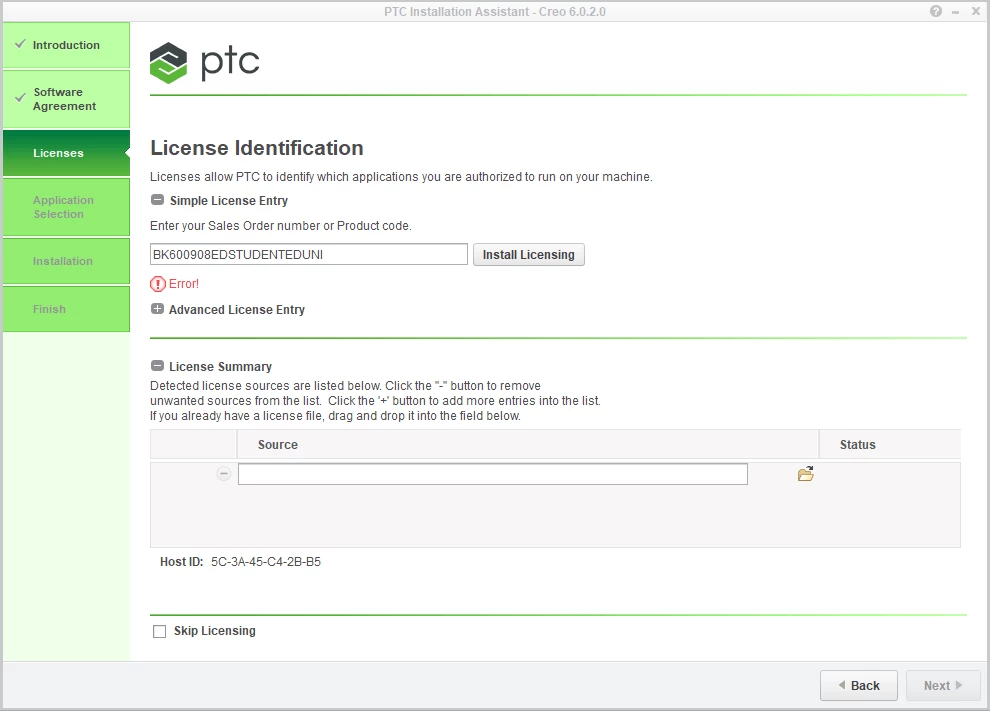
I am following the setup instructions. When i get to the part where I am supposed to input the "simple license entry" i type in the code on the student setup page and instead of seeing "Success!" it us coming back as "Error!" Not sure how to move past this. It wont tell me what the error is either it just says error.Capture.PNG
2 replies

jj231-VisitorAuthor
1-Visitor
August 19, 2020

upon further examination the Error message is stating, "you have reached the maximum license requests available for your product type" im assuming this is because of my continuous effort to delete and redownload the software? 

1-Visitor
August 19, 2020

I am having the exact same problem and I need this program for school so any advice would drastically help thank you.  

1-Visitor
August 23, 2020
So how to solve this problem?
1-Visitor
August 26, 2020

I selected install software over install new software in the introduction window. Simple License Entry product code field, enter the product code BK600908EDSTUDENTEDUNI. Result Success!