
17-Peridot
October 18, 2019
Solved

J-Link, OTK Java. Example Install_test

  • October 18, 2019
  • 1 reply
  • 2833 views

Hello!


I started learning the API for Creo Parametric.
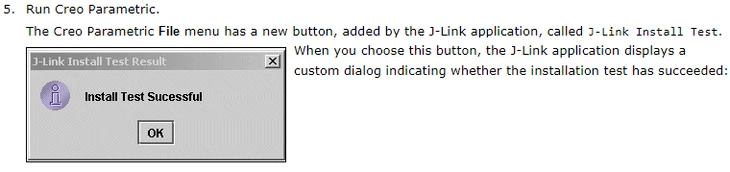
I am doing an install_test example ( https://www.ptc.com/en/support/article?n=CS245175 ).
I compiled the code, got the classes, but now I don’t know where to place them so that Creo can read them. I open Creo, and there is not what I need.
Do I need to run the resulting classes?

Here is the result:
Снимок.PNG

In the link I indicated there are points:

  1. start Creo 
  2. Set the current folder as the working directory
  3. Register the application with the shipped file protk.dat
  4. Start the application called InstallTest

I am not sure that I correctly made points 2,3. And I do not know how to do this point 4.

Help me please.


Best regards

Best answer by remy

according to https://www.ptc.com/en/support/article?n=CS25984 this error message is about the JRE you set along with Creo.


pro tip: if you have access to PTC knowledge base, use the error message in the search bar and this should yield related articles.

1 reply

VladiSlav17-PeridotAuthor
17-Peridot
October 18, 2019

I kind of figured it out a bit.
Added the path to protk.dat in my config.pro for my application.
Now it has appeared in the user interface, but is not executed.
I understand that I need to configure j-link somehow, but I don’t know how.
Help me please.

Result at the moment:

Снимок1.PNG

VladiSlav17-PeridotAuthor
17-Peridot
October 21, 2019

I found a solution to this problem: it was necessary to specify the path to java in config.pro.
But the application still does not start:

Снимок.PNG

Does anyone know what the reason is?

remy21-Topaz IAnswer
21-Topaz I
October 23, 2019

according to https://www.ptc.com/en/support/article?n=CS25984 this error message is about the JRE you set along with Creo.


pro tip: if you have access to PTC knowledge base, use the error message in the search bar and this should yield related articles.