
1-Visitor
February 20, 2020
Solved

Creo 4 Failed to connect to server

  • February 20, 2020
  • 1 reply
  • 10067 views

Hello, 

I have recently installed Creo 4(M80) and it fails to run with error (-96) Failed to connect to server. Server is down or unreachable.

The thing is that i am at home connected via VPN to the network where licencing server is running. However when i brought my PC with me and physically connected my to the network, everything ran just fine.

I tried running it with firewall disabled on my PC as well as on the licensing server, but i keep getting the (-96) message. 

Any suggestions what to try next?


P.S. Don't mind the (-21) message
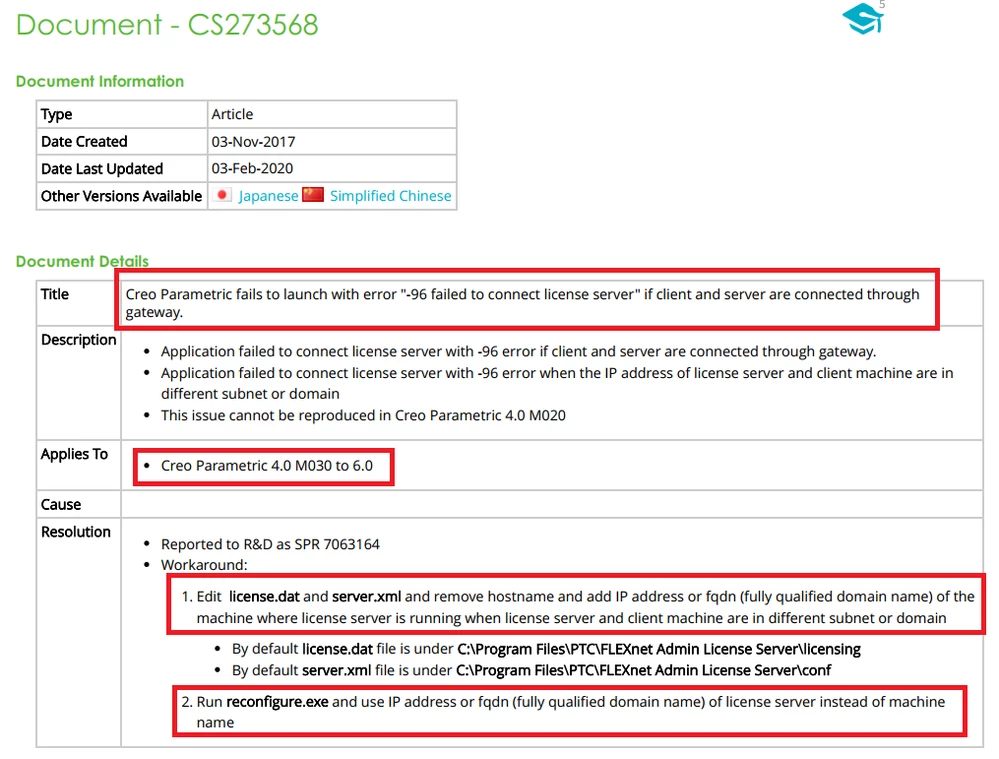
Best answer by MartinHanak

cs273568.png

Try the above mentioned advice.

1 reply

22-Sapphire I
February 20, 2020

@Dawek


As this is due to communication, check connectivity on port 7788 and also check for any other firewall blockages in vpn.


CS21768

Dawek1-VisitorAuthor
1-Visitor
February 20, 2020

I tried to use telnet to check the port connectivity. I typed: telnet xxx.xxx.xxx.xxx 7788 (xxx for the server IP) and the command line turned complete black with just a cursor blinking in top left corner. That means the port is open, right?

Dawek1-VisitorAuthor
1-Visitor
February 20, 2020

Hello, 

I can ping the server just fine. 

Firewall is disabled both on my PC and on the license server (as it caused some trouble in the past). I even set Firewall on router to Low (as there is just a slider that can be moved from Low to High). 

For the parametric.psf I checked it and it is the same.

I also tried to address the lincese server during Creo setup by both server name and its IP.