

Creo Parametric 2.0 Crashes when I open it.
Hello, I have been trying to read on related issues but I cannot seem to fix my problem. I had Creo installed previously but my old license expired and I got a new student license. I first tried updating just the license but that was not working so completely deleted PTC creo from my computer and used the emailed link to re-install it. As soon as I try to run Creo parametric or any other OTC product it crashes givin me the following window:
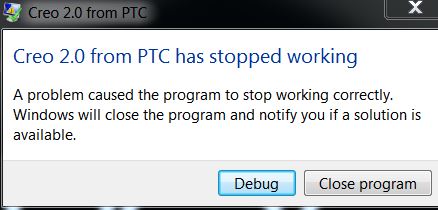
It also created a traceback.log file which says the following:
-------------------------------------------------
The trace creation timestamp is: Wed Oct 08 20:17:02 14
The executable build timestamp is: Fri May 23 14:55:18 14
The datecode is: NA
The pro machine type is: NA
The process ID is: NA
The traceback type is : CRASH
-------------------------------------------------
Exception EXCEPTION_ACCESS_VIOLATION has occurred in the thread 14124.
All of my drivers are up to date and the config.pro file only containts the following information:
drawing_setup_file $PRO_DIRECTORY\text\prodetail.dtl
format_setup_file $PRO_DIRECTORY\text\prodetail.dtl
pro_unit_length unit_inch
pro_unit_mass unit_pound
template_designasm $PRO_DIRECTORY\templates\inlbs_asm_design.asm
template_drawing $PRO_DIRECTORY\templates\c_drawing.drw
template_sheetmetalpart $PRO_DIRECTORY\templates\inlbs_part_sheetmetal.prt
template_solidpart $PRO_DIRECTORY\templates\inlbs_part_solid.prt
todays_date_note_format %Mmm-%dd-%yy
tolerance_standard ansi
weld_ui_standard ansi
This thread is inactive and closed by the PTC Community Management Team. If you would like to provide a reply and re-open this thread, please notify the moderator and reference the thread. You may also use "Start a topic" button to ask a new question. Please be sure to include what version of the PTC product you are using so another community member knowledgeable about your version may be able to assist.