
cancel
Showing results for 
Search instead for 
Did you mean: 
cancel
Showing results for 
Search instead for 
Did you mean: 

Community Tip - Help us improve the PTC Community by taking this short Community Survey! X

Translate the entire conversation x

Creo embedded browser doesn't show 3d thumbnail

ErikClacey
14-Alexandrite

Creo embedded browser doesn't show 3d thumbnail

When working in Creo, the preview of the part is not visible. It has been like this for many generations, now running Creo 10.0.9.0. I tried pressing the install creo viewer link but the installation that poppet up was for creo viewer 9 and I already have creo view 10 on my system. When looking at this part through a normal browser, ie not built in to Creo, I can see the 3d thumbnail. Is there a setting that enables this somehow or do I need a different version of Creo View?
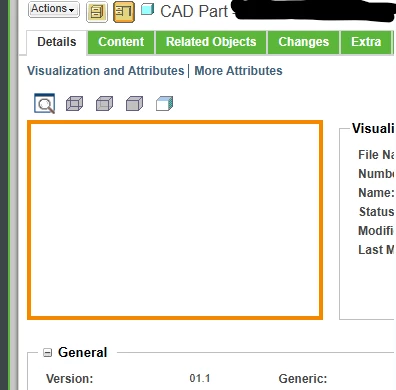
ErikClacey_0-1765461897865.png


2 REPLIES 2

Hi,

following is just my guess.

It seems to me that your Windchill contains old install package of Creo View Lite. Therefore you Windchill admin must replace it with current one. When he is finished with update you will be able to install new Creo View Lite on your computer.


Information sources:

https://support.ptc.com/help/windchill/cloud/r12.0.2.0/en/index.html#page/Windchill_Help_Center/VisualAdminDownload.html

https://www.google.com/search?q=ptc+windchill+update+creo+view+lite+installer


Martin Hanák

Hi @ErikClacey

I wanted to see if you got the help you needed.

If so, please mark the appropriate reply as the Accepted Solution or please feel free to detail in a reply what has helped you and mark it as the Accepted Solution. It will help other members who may have the same question.

Of course, if you have more to share on your issue, please pursue the conversation.

Thanks,


Catalina
PTC Community Moderator
PTC
Announcements
NEW Creo+ Topics: PTC Control Center and Creo+ Portal

Top Tags