1-Visitor
October 16, 2013
Solved
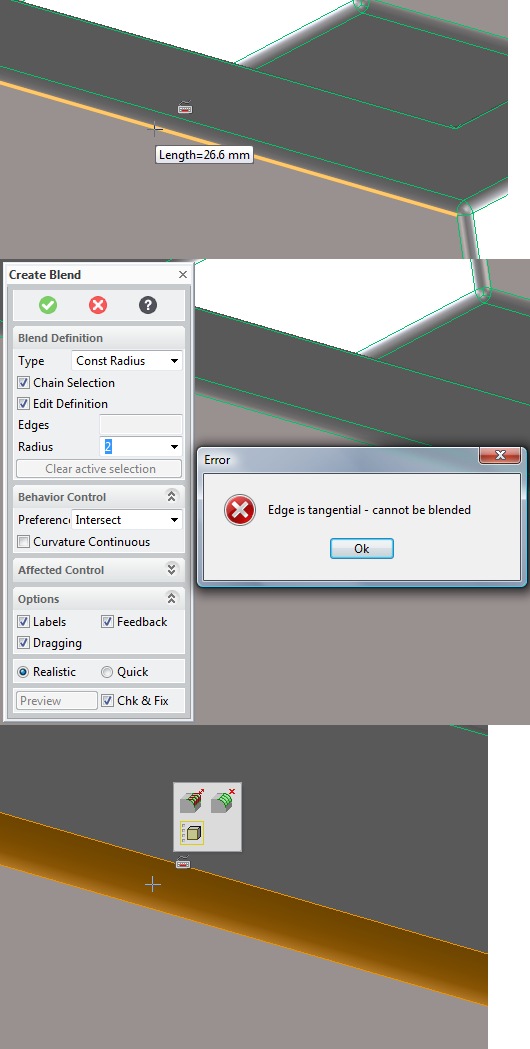
Edge is tangential - cannot be blended
- October 16, 2013
- 1 reply
- 1641 views
Hello,
I'm new to Creo Elements. I started building a part which I would need to 3d print later. I was very surprised that, after looking all the first steps videos, I was able to create this part without much problems.
After I was finished, I tried to blend one of the edges of my model again, but now the error message "Edge is tangential - cannot be blended" always appears when I try to blend an edge.
I'm sure I'm missing something essential, hopefully one of the more experiences persons here in the forum can solve my problem. I attached my (very small) project file.
Thanks for any help!
Markus
This thread is inactive and closed by the PTC Community Management Team. If you would like to provide a reply and re-open this thread, please notify the moderator and reference the thread. You may also use "Start a topic" button to ask a new question. Please be sure to include what version of the PTC product you are using so another community member knowledgeable about your version may be able to assist.