
16-Pearl
September 23, 2016
Question

Moduleworks : Cutcom still not working

  • September 23, 2016
  • 4 replies
  • 5066 views

I'm really getting annoyed about this Moduleworks. I loaded this morning Creo 3.0 M110 full of hope about this new release.

I started programming a new part and simulated,cutcom is still not correctly simulated !!!   What's going on ? A simulating tool is to make sure everything goes well, not supposed to give doubts about what we are doing. I'm once more going to go back to M080 which works with Vericut perfectly.
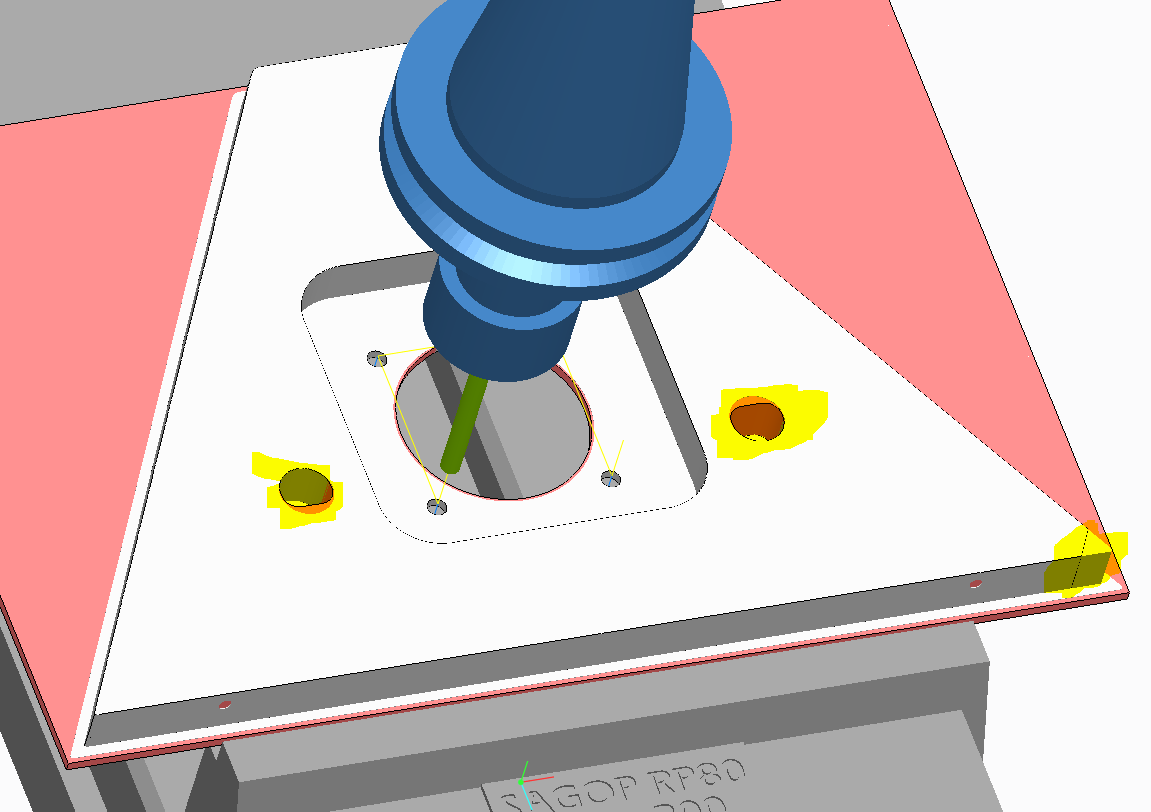
I'm going to open a new case about this "new" problem !!

I can't see the benefits of paying a maintenance to get such a result. In our company, we're seriously thinking about changing cam software for many reasons. And these problem are just confirming what we are thinking.

And when will Pro/NC will be a standalone module ? Our company is well developing and we're getting more and more job. We are thinking of hiring a new employee, to have one on

CAD and the other one on CAM. But actually with Creo it's really a big problem !!! Who can think of paying a CAD licence to do CAM job ? Serisously !!

4 replies

1-Visitor
September 23, 2016

Sorry you are still having problems with Module works. They fixed my problem where my ball end mills looked like chamfer tools with M110 but now I discovered a new problem with it. Some imported tool assemblies don't show up in Moduleworks. Not sure why I am still investigating it.

Play path image

play_path_module_wrks_no_tool.JPG

Module works image

module works tool noshow.JPG

The biggest problem I have with module works is it is slow to show the cuts. I have all the settings in ModuleWorks set to the lowest quality and it still takes forever.

Not sure if it's my work which is small and very fine detail or if it's my computer. Personally I think it's ModuleWorks.

RaphMORIN16-PearlAuthor
16-Pearl
September 26, 2016

I agree with you. Moduleworks is slow. I recently changed computer and hoped to get better results but it didn't change much. Here's what I have :

And a Nvidia QUADRO K2200.

RaphMORIN16-PearlAuthor
16-Pearl
January 11, 2017

And another release and still the same problems !!

We're now about to change cam software...

1-Visitor
January 24, 2017

post processor.PNG

1-Visitor
January 24, 2017

try to modify the post processor and then you will be able to use cutter compensation correctely (image added above for your reference)

RaphMORIN16-PearlAuthor
16-Pearl
January 24, 2017

Thank you for this answer, but the problem comes from Moduleworks. Moduleworks simulates the CL data and not the ISO code.

We have milled hundreds of parts using this program and it works perfectly fine unlike Moduleworks.

RaphMORIN16-PearlAuthor
16-Pearl
April 21, 2017

Creo 4.0 M010, cutcom still not gettine correctly simulated in Moduleworks ! Will it get fixed one day ???