17-Peridot
April 13, 2017
Solved

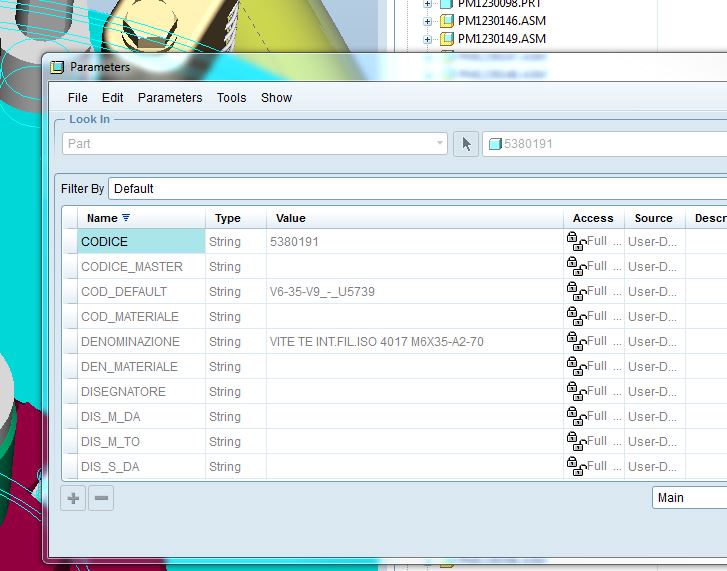
Width of columns
  • April 13, 2017
  • 4 replies
  • 5897 views

larghezza_colonne.JPG

Hi all,

I wonder if there is the option, within the config.pro or other, to set the width of the columns when you open the parameters windows.


Thanks

Bye

Best answer by TomU

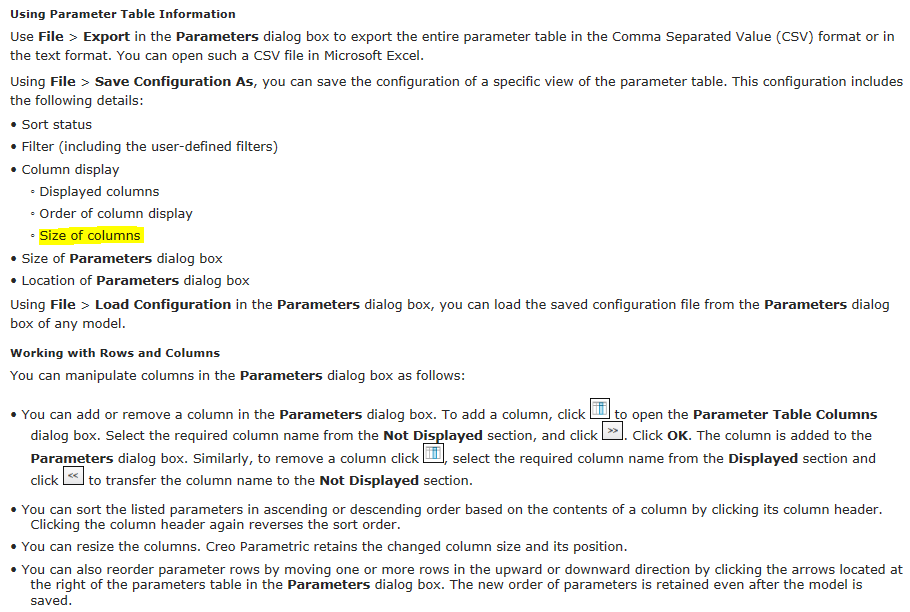
Yes you can.  You can save the currently layout as an XML file and then automatically load it with the config option parameter_dialog_setup_file.

------------------------------------------------------------------------------------------------------------------
------------------------------------------------------------------------------------------------------------------

Creo Parametric Help Center

4 replies

TomU23-Emerald IVAnswer
23-Emerald IV
April 13, 2017

Yes you can.  You can save the currently layout as an XML file and then automatically load it with the config option parameter_dialog_setup_file.

------------------------------------------------------------------------------------------------------------------

------------------------------------------------------------------------------------------------------------------

Creo Parametric Help Center

21-Topaz I
April 13, 2017

Tom,

I never knew about this so thank you.

However, the column size won't stay as wide as I set it.  Still using Creo 2.

23-Emerald III
April 13, 2017

Are you saving the XML file and then restarting Creo2 each time you adjust a width?

I have found it easier to adjust the column width by editing the XML file directly in notepad/wordpad.

gfraulini17-PeridotAuthor
17-Peridot
April 14, 2017

I've tried but it doesn't work...

parameters.JPG

21-Topaz I
April 14, 2017

Have you tried a capital "N" for Name instead of "name"?  That would match what it shows in the table.

So is there a bug?

gfraulini17-PeridotAuthor
17-Peridot
April 14, 2017

Yes, but it doesn't work yet

23-Emerald III
April 14, 2017

Steve, did you get it to work?

I will look further at my work system and post the file here. It works fine in Creo 2. In my case, we did have a mapkey to set the column widths and then I saved the configuration after running the mapkey and I wonder if that is why I get the column display lines.

When I create a new file in Creo 2, 3 & 4, the syntax is identical and only the one column_name line, like in Steve's listing. I tried to add the width setting, but it did not work.

23-Emerald III
April 14, 2017

Here is the top portion of a hand-edited file based on the one I saved from Creo2.

I added the column name lines after changing the <displayed_columns/> line to just <displayed_columns> and adding the </displayed_columns> line at the end.

When I started Creo4, opened a file and went to Tools-Parameters, I got the window to display as set.

gfraulini17-PeridotAuthor
17-Peridot
April 14, 2017

The underscore between the word column and name doesn't take; so the word name becomes red (editing with Notepad++ as in the pics).

Furthermore the name of the columns, inside the inverted commas, must starts with the lowercase letter.

23-Emerald III
April 14, 2017

My mistake on the underscore between column and name yesterday. See the sample partial listing I just added for the proper syntax.

21-Topaz I
April 14, 2017


This is what the file looks like after setting the columns widths and the sorting then saving the config file.  Noticed the slash at the end of <displayed_columns>.


I made it look like this but the sorting was not recognized.

The slash in <displayed_columns/> is in the wrong spot.  I had to move the slash to the front: </displayed_columns> Once I moved the slash the sorting was recognized.