
1-Visitor
April 23, 2020
Question

"Missing Student License" for Creo 6.0

  • April 23, 2020
  • 1 reply
  • 7046 views

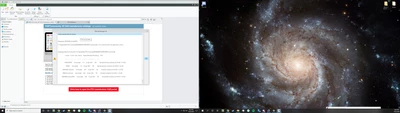
I have been able to download and run Creo 3.0 and 4.0 without a problem, but when I try to download and boot creo 6.0 a message pops up saying "license request failed for feature" I attached a screenshot of what I see on bootup:
Ben_kuhlman_2-1587609815465.png

any tips?


1 reply

24-Ruby III
April 24, 2020

Hi,

you have to empty C:\ProgramData\PTC\Licensing directory before starting Creo 6.0 installation !

Please read following documents:

https://apps.ptc.com/schools/references/install_creo6_unistudent_standard.pdf 

https://apps.ptc.com/schools/references/install_creo6_schools_standard.pdf 

1-Visitor
March 4, 2021

I have the same problem as described above, eventhough i deleted the license i used before from "C:\ProgramData\PTC\Licensing".

Now in the folder there is only one license, with the right date and everything but it still doesnt work.