
1-Visitor
November 2, 2017
Question

How to Read the Part data from the pvz file

  • November 2, 2017
  • 2 replies
  • 7720 views

Hi All,

Could you please give me an example on How to read the data from the PVZ file in the ThingWorx Studio.

I want to show the part details on clicking that Part similar to what is available in Creo view.

I know that we can add Model Item to the Parts and highlight them and hardcord the Part number (if we know the part number) but this will be huge task to do it for each part in ThingWorx Studio.

As all the details are already available in the PVZ file; my request is to how to do it easily on ThingWorx Studio.

I also found that this is also implemented in one the Spatial Experience shared by PTC - ST Helicopter Assembly.
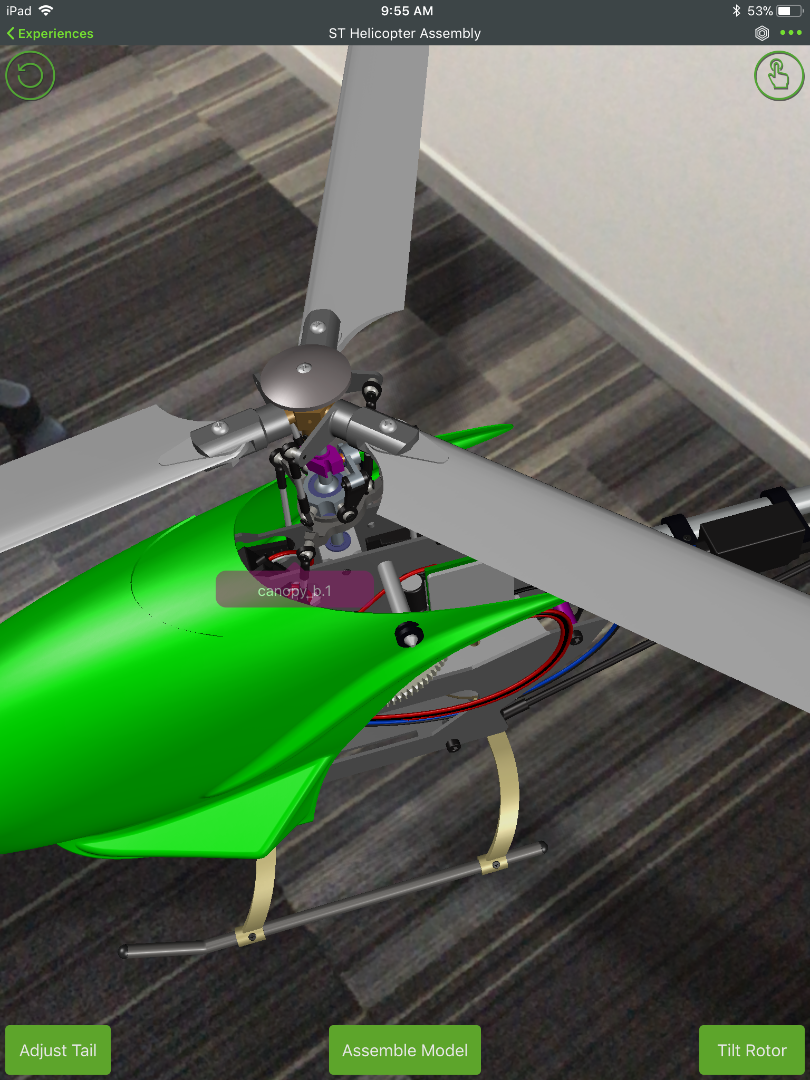
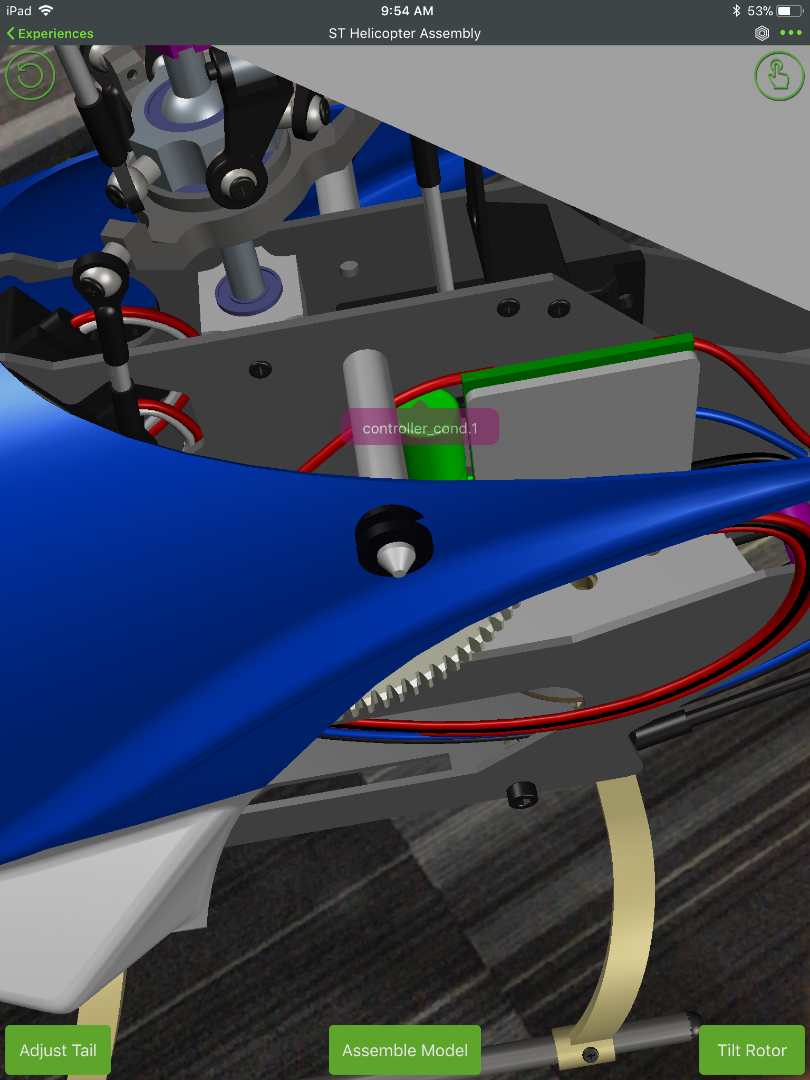
IMG_0030.png

IMG_0029.png

Can anyone share details on how to achieve this feature.

Regards,

Ankit Gupta

2 replies

5-Regular Member
November 3, 2017

Ankit,

AFAIK, it is implemented by creating/adding 'annotations' to the PVZ model i.e., using the Creo Illustrate. Once you have the model with annotations, you can follow to instructions - Article Viewer | PTC to get annotations into your Studio project. The annotations appear in a standard way, but you can use JS to handle that text to view according to your requirement. Also within that Helicopter project, the text has some styling.

5-Regular Member
November 16, 2017

Hi Giri,

I have the same query. The sample code in the Article you mentioned is not that clear. May be i am not able to understand. If possible can you describe the steps involved. I have a pvz and how do i get the part number from there.

Do i need to first create annotation for each part in PVZ using creo Illustrate?

If Yes, do i need same number of model item in studio as compared to annotations in PVZ or its dynamically created?

This part is very critical for our PoC. If you can let me know how to do it, that will help our business users(Field Service Engineer) solve big pain area.

Thanks

Ravi

5-Regular Member
November 16, 2017

Ravindra Singh​ I've just updated the article with a simple example, Display text description within an AR project

please let me know if that helps.

5-Regular Member
February 20, 2018

Metadata is cleared / deleted on purpose to remove the IP.


You could dynamically load the data - e.g. from windchill via twx - linking to the occurence ID of each part by JS code.


- in this helicopter example the data was written into a json file and loaded via js code.


Martin 

1-Visitor
April 2, 2018

I plan to have an assembly with more the 100+ parts in the pvz. Is there an easy way to allow a user to click any part of that assembly to view part attribute information? I would prefer to have the solution found within Thingworx Studio.  Essentially, as the original poster commented, I would like the Studio project to act similarly to a pvz file in Creo View.