13-Aquamarine
July 13, 2023
Solved

How to create breadcrumbs (contained views path)

  • July 13, 2023
  • 2 replies
  • 1973 views

Hello PTC Community!

Please advise a solution for creating breadcrumbs that have links to different level views.

Example: Home../View1..../View2...../View3
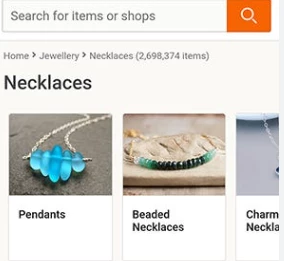
 

IB_10645210_0-1689280656297.png

Thank you!

Best answer by sgreywilson

You could provide published Experience URL using the url widget.


place you widgets as breadcrumbs and set the url to each published experience. When a user clicks on the link they will be taken to the experience inside the view app.


Assuming I understand the question correctly

2 replies

21-Topaz I
July 26, 2023

Hi @IB_10645210 , 

no sure what is exactly required here. Where should be the bread.

So what I suspect ->You have a picture and on mobile you want to scann it and to click on it (or something like ) then you want to be able to click the different " Bread crumbs" to open specific experience , right? Or you mean different pictures which you need to select.

Important is to clarify

  1. How you want to do the selection.
  2. On which device and
  3. what should be the action what should  be used for the selection.


Could you, please, clarify ! Thanks

13-Aquamarine
July 26, 2023

Hi @RolandRaytchev Roland, Thank you for response.

Sorry for the confusion. The "breadcrumbs" is a UI element:https://www.nngroup.com/articles/breadcrumbs/

I want to link multiple views from different projects in a "breadcrumb" on top of each 2D view.

Please advise any solution:)


16-Pearl
August 3, 2023

You could provide published Experience URL using the url widget.


place you widgets as breadcrumbs and set the url to each published experience. When a user clicks on the link they will be taken to the experience inside the view app.


Assuming I understand the question correctly

13-Aquamarine
August 3, 2023

@sgreywilson Thank you so much!
