1-Visitor
August 6, 2019
Solved

Vuforia Studio Sign In and Experience Server Issues

  • August 6, 2019
  • 1 reply
  • 1134 views

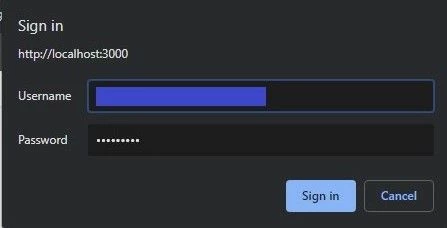
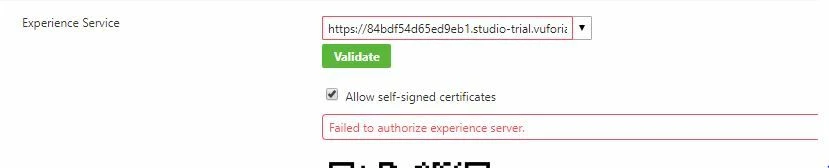
Hello, I am attempting to publish my project in Vuforia Studio, and when I attempt to validate the Experience Server, I am prompted to sign in. When I click the "Sign In" button, nothing happens. However, when I click the "Cancel" button, I get an error saying "Failed to authorize experience server." See images below. I would appreciate any help on this.experiene server issue.JPGsign in issue 2.jpg
Best answer by ytella

Hi @Allison_Andrews ,


Could you please uncheck the 'Allow Self signed certificates' option and try the validate option again. Also, could you please key in the experience service URL in the below format in a web browser and see if you are able to login into it:

  • https://<es-url-hostname>/ExperienceService/username
    • This URL requires authentication and should display your username in the browser window after successful login

1 reply

ytella17-PeridotAnswer
17-Peridot
August 6, 2019

Hi @Allison_Andrews ,


Could you please uncheck the 'Allow Self signed certificates' option and try the validate option again. Also, could you please key in the experience service URL in the below format in a web browser and see if you are able to login into it:

  • https://<es-url-hostname>/ExperienceService/username
    • This URL requires authentication and should display your username in the browser window after successful login