1-Visitor
April 16, 2019
Solved

.stp model appearing as a cylinder

  • April 16, 2019
  • 1 reply
  • 3410 views

Hi all, 


I am trying to use a STEP file ("name.stp") in a Vuforia Studio project. I am using Vuforia Studio version 8.4.0.4300 and the file is a part of a machine.

The problem comes when I add a Model in my canvas and I try to add this resource: it appears as a simple cylinder.

I would be very grateful if somebody could help me to solve this problem.


Thank you very much for your time!
Best answer by RolandRaytchev

Hi @Andrea_sbsst ,


I think there could be 2 things the problem. 

- some problem in the step files, some errors or incompatibility or

-the model size - to large

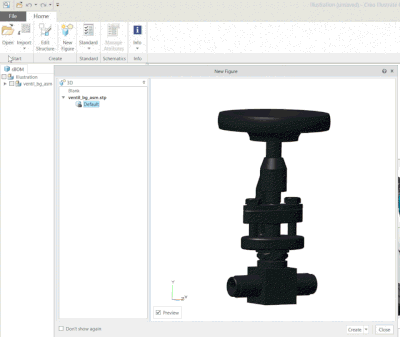
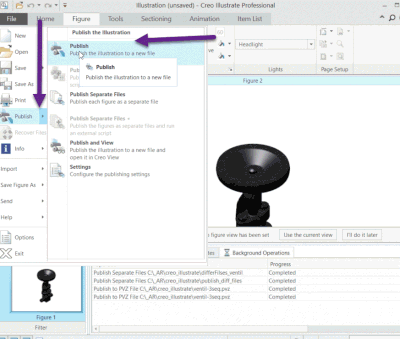
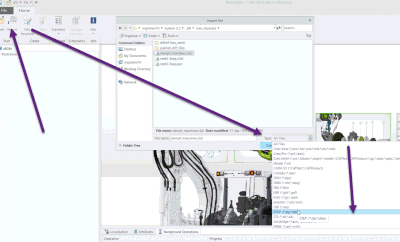
So I will try to import the step model to Creo Illustrate if this tool could display the step assembly  and publish it to pvz.

2019-04-17_14-51-59.gif2019-04-17_14-56-15.gif

2019-04-17_15-07-30.gif

So this will create a new pvz file. Is this file visible in the Creo view - if yes this should be also visible in studio- (I hope)

1 reply

21-Topaz I
April 16, 2019

Hi @Andrea_sbsst


Are you able to share the step file so that we can take a look? If not, can you share a screenshot of the model in Studio as well as what it's supposed to look like? Are you getting any errors when importing the file? 

1-Visitor
April 17, 2019

Thank you very much for your answer!
I am afraid I can't share the stp file, but I attach an image of how it looks now in studio:


The stp file looks similar to the following image:

On the other side, I am not getting any errors when I import the file.


Am I maybe seeing just a piece? Is any constraint in capacity?

21-Topaz I
April 17, 2019

Hi @Andrea_sbsst ,


I think there could be 2 things the problem. 

- some problem in the step files, some errors or incompatibility or

-the model size - to large

So I will try to import the step model to Creo Illustrate if this tool could display the step assembly  and publish it to pvz.

2019-04-17_14-51-59.gif2019-04-17_14-56-15.gif

2019-04-17_15-07-30.gif

So this will create a new pvz file. Is this file visible in the Creo view - if yes this should be also visible in studio- (I hope)