17-Peridot
November 5, 2019
Solved

How to run server Windchill?

  • November 5, 2019
  • 1 reply
  • 4128 views

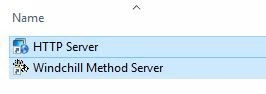
Hello, please tell me how to run server Windchill? After an unplanned restart of my computer, I cannot enable Windchill. Tried through programs to start

prog.JPG


and through Windchill Shell to start the windchill start command, but it did not turn out to start the server.
Only one thing helped-restart the computer, then the windchill server starts itself

Best answer by BenLoosli

Java commands are the Server Manager and Method Servers running when Windchill is started.


Are Windchill, Windchill DS and HTTPServer installed as services?

Are they set to autostart when the system is booted?

If they fail to start, check the log files for any error messages.


You can try to start them manually from their icons on the server desktop or start menu. Start Windchill DS first, then HTTPserver and finally Windchill. Open Task Manager and monitor CPU usage and memory usage. The CPU will get very high as the Method Servers start. Depending on your system speed, start-up could take 45-120 seconds, sometimes 180. CPU usage will drop to almost 0 when everything is up or the system crashes before being up. Watching the memory usage will tell if the system is up or crashed. The usage climbs slowly as each server starts and stays high if the system is up. If the system crashes, there will be a sudden drop in memory usage.

 

1 reply

23-Emerald III
November 5, 2019

Windchill is usually installed as a service.

You can start it from a Windchill shell, but the process will die when you log off.

Use the Services tab of Task Manager (Server 2012 or newer) and then start Windchill from there.

Windchill should start automatically when the server is rebooted.


VladiSlav17-PeridotAuthor
17-Peridot
November 6, 2019


ll Java applications are missing from Task Manager.

Tell me, please, what command to run them?

BenLoosli23-Emerald IIIAnswer
23-Emerald III
November 6, 2019

Java commands are the Server Manager and Method Servers running when Windchill is started.


Are Windchill, Windchill DS and HTTPServer installed as services?

Are they set to autostart when the system is booted?

If they fail to start, check the log files for any error messages.


You can try to start them manually from their icons on the server desktop or start menu. Start Windchill DS first, then HTTPserver and finally Windchill. Open Task Manager and monitor CPU usage and memory usage. The CPU will get very high as the Method Servers start. Depending on your system speed, start-up could take 45-120 seconds, sometimes 180. CPU usage will drop to almost 0 when everything is up or the system crashes before being up. Watching the memory usage will tell if the system is up or crashed. The usage climbs slowly as each server starts and stays high if the system is up. If the system crashes, there will be a sudden drop in memory usage.