4-Participant
May 24, 2023
Solved

Unable to add "Reviewer" tab on the "Select Participants" window of a Promotion Request

  • May 24, 2023
  • 1 reply
  • 3689 views

Hello Everyone,


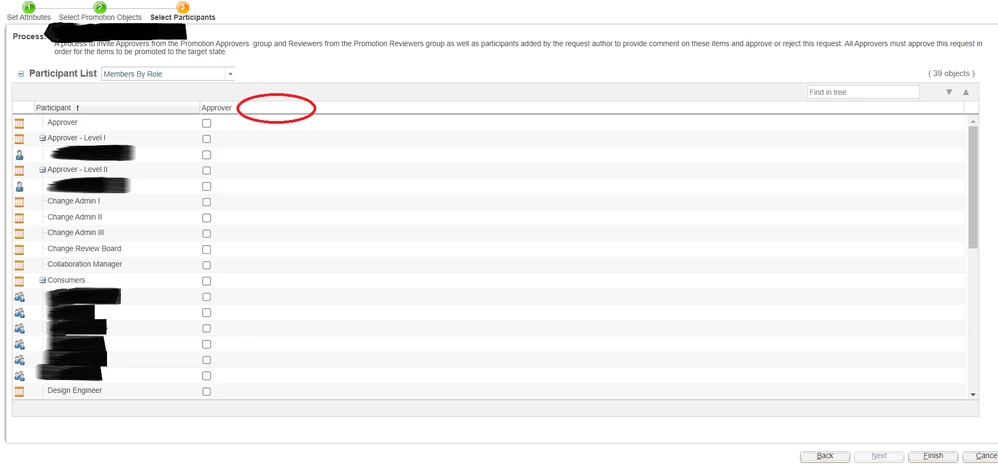
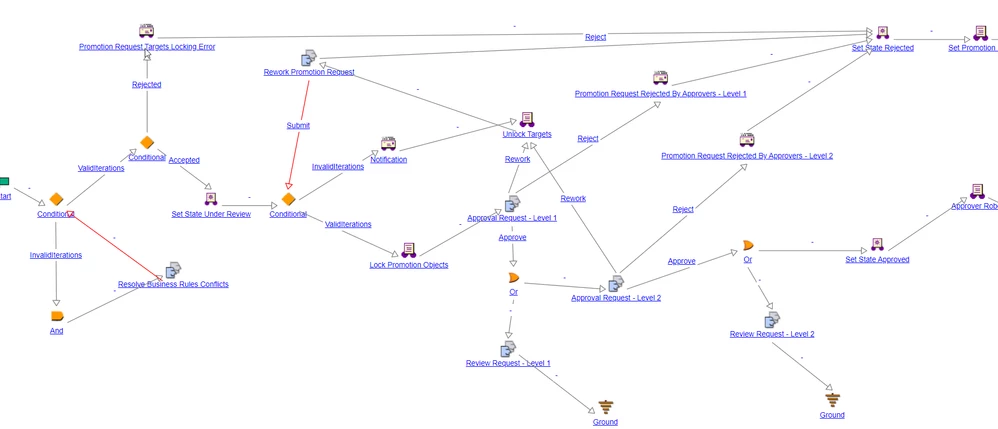
We are trying to implement a "Staggered" Approval Promotion process in Windchill. Apart from "Approvers", the workflow must also include "Reviewers" to be aware of the objects being promoted, but not need to perform any actions. I have added a couple of "Review" tasks similar to what was available in the OOTB "Two Level" Approval Process. However, even after adding all the necessary participants for the respective "Review Tasks", I am unable to view the "Reviewer" column in the "Select Participants" window of a Promotion Request.


How could I achieve this?

BWorkflowWorkflowNew_Promotion_Request.pngBest Regards,
Irfan

Best answer by HelesicPetr

Hello @MIK_203 

I can see that the users are already selected. 

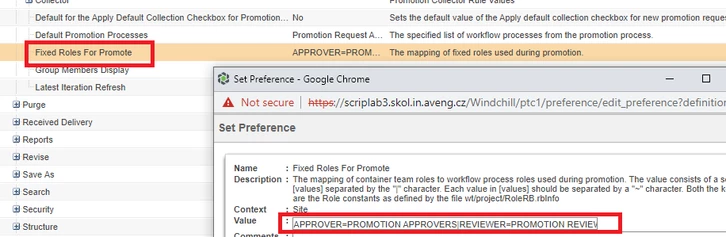
This means that configuration in the Preference Management the "Fixed Roles For Promote " is set 


HelesicPetr_0-1685969675022.png

If the preference is set then the roles are preselected and you can not change it.


PetrH


1 reply

HelesicPetr
22-Sapphire II
22-Sapphire II
May 24, 2023

Hello @MIK_203 

Where the "reviewer" role is defined? in which Task? If the "reviewer" role is not used in any task, then it can not be shown in the table  


HelesicPetr_0-1684917430933.png


PetrH

MIK_2034-ParticipantAuthor
4-Participant
May 24, 2023

Hello @HelesicPetr ,


Both "Review Tasks" as you see in the Workflow include the "Reviewer" & "Review Manager" as participants.

Attached a snapshot for reference.


BR, Irfan

Task_Participants.png

MIK_2034-ParticipantAuthor
4-Participant
June 2, 2023

Hi @HelesicPetr ,


I followed your feedback and created a new workflow from scratch, beginning with a simple Approval task and then building upon it to replicate the existing workflow. Now I am able to see all relevant roles needed in my workflow.


However, now I run into the issue where I am not able to manually select the Participants even though in the preferences, "Group Member Display = Yes".


BR,

Irfan

2023_06_02_09_38_05_New_Promotion_Request.png