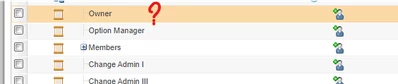
Thanks @Fadel and @avillanueva .
@Fadel , what you showed in the screenshot solved the knot but remained incomplete. I would like to complete;
I will explain what I did step by step;
1- I opened the ECN lifecycle and added the "owner" role to all states from the "roles" field.
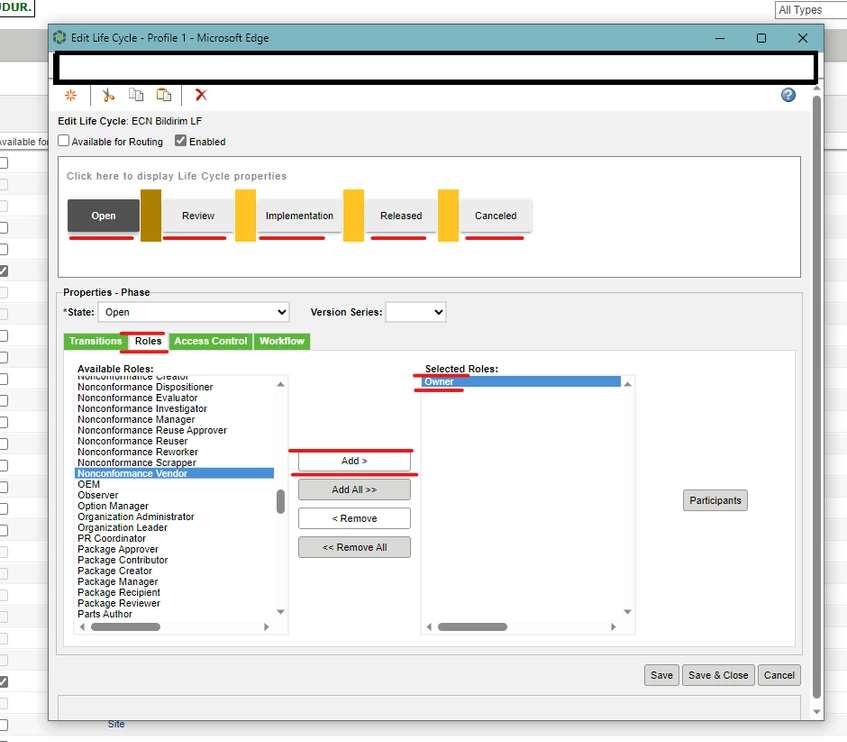
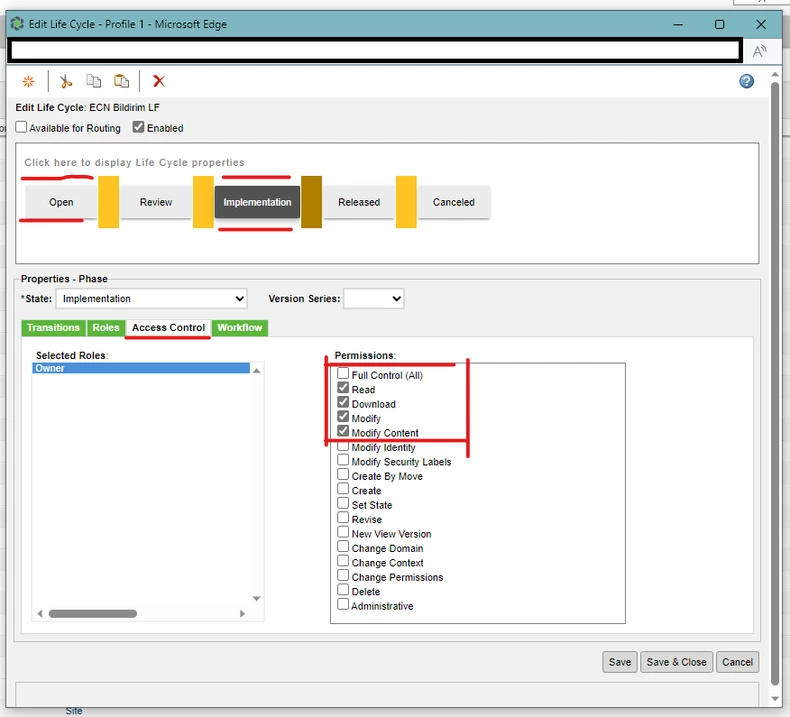
2- I gave the permissions I wanted to the states that I did not want anyone other than the Owner to interfere with (this was open and implementation for me).
3- (Most importantly) I went back to the "Roles" area, clicked on the "owner" role in the "Selected Roles" section and clicked on the "participants" button on the clicked.
- In the window that opened, I clicked "add" to the "Creator" role in the Actors section.
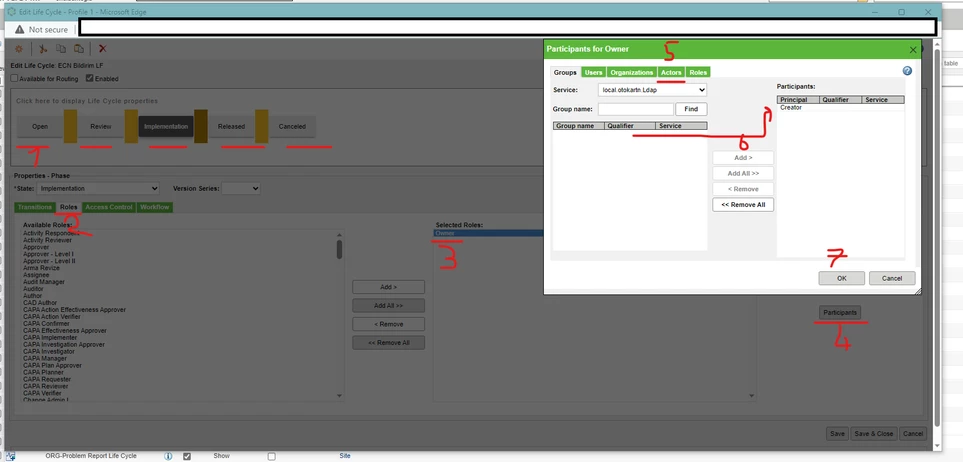
4- I registered LifeCycle and clicked check-in.
5- I went to "policy administrator" as Fadel did and selected "all pseudo role" for the "change notice" type in all states. In the Permission section, I selected "deny" for Modify powers.
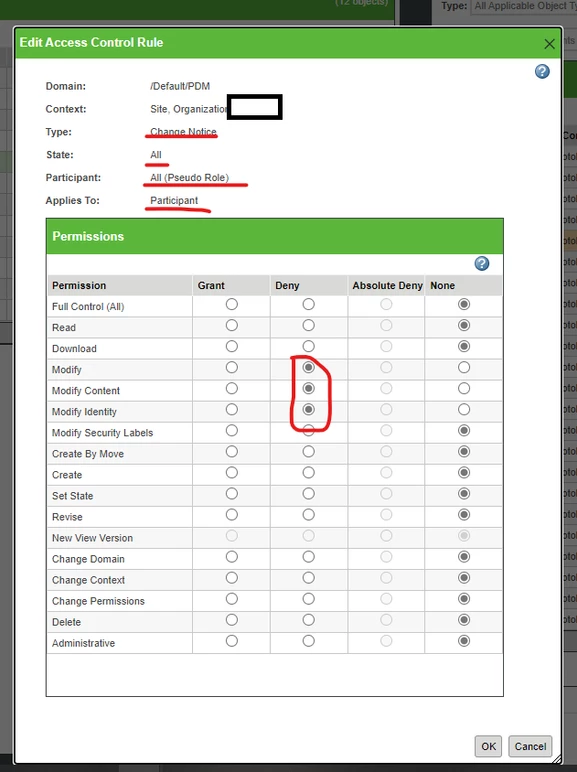
6- I opened 2 test users and started ECN from them. It was exactly what I wanted. Only the "creator" could make changes in the implementation step. (If it is to be used for previously launched ECNs, "reassing life cycle" should be used.)
You probably knew what I said, but I wanted to explain it in detail because I hope someone who doesn't know it can understand it.
This solution solved a very big problem of ours. thanks everyone. 🙂