

Solved
How to control line weights and colors output for Windchill Creo View Files?
Version: Windchill 13.0
Use Case: Need Creo view files to match pdf files exported of drawings so drawing review markups can be made for drawing approval workflows within windchill.
Description:
Want Windchill Creo View files and thumb nails to match PDF files that are exported from Creo Drawings using profile settings. How does one control the line weights and colors that are out putted to make Creo View files?
See attached images. Would like to have the image with blue lines for object line and format lines look like the all black and white image.
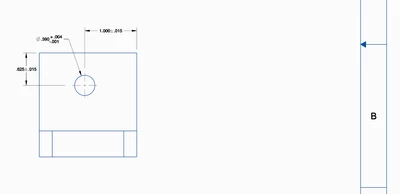
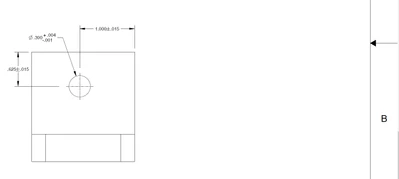
Also where do I configure the colors that are used for the Creo View thumb nails that are shown on the details tab for the workspace?
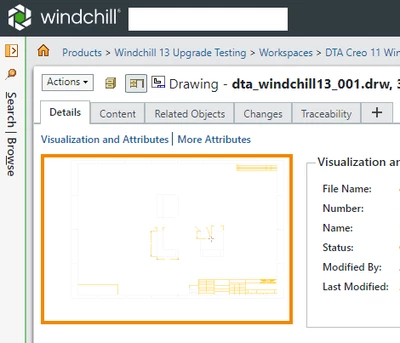
Thanks for any help you may provide!
Don A