
Solved
How to define ACL on specific work items
Hi All,
I would like to know about defining ACL's on work items
Thank you

Hi All,
I would like to know about defining ACL's on work items
Thank you
Hi there,
That's quite easy to do in the Policy Administrator function, that you can get to from Org or Site/Utilities/Policy Administration. This can let you very carefully control what anyone can do to any object in the system, by the object's State, by group, by context role...it's extremely effective.
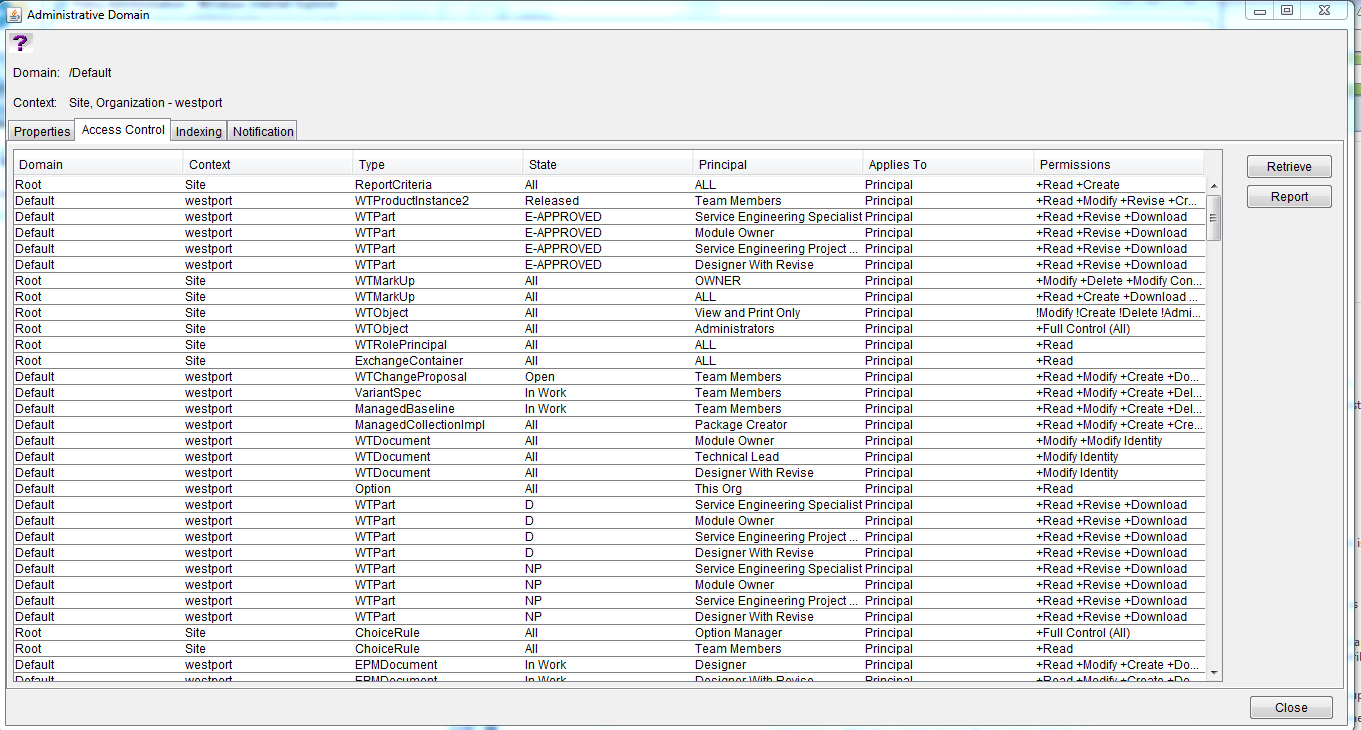
It might look like a bit of a beast at first but it's very straightforward. All you really do is define an object Type, which State it has to be in for the rule to work, the Principal (i.e. user, group, context team role, everybody etc) and the actual access itself.
For what you mentioned above, some of the Types might not be that obvious so:
Putting any rules on WTObject should really only be for Administrator access rules.
Creating an individual rule brings you to this:
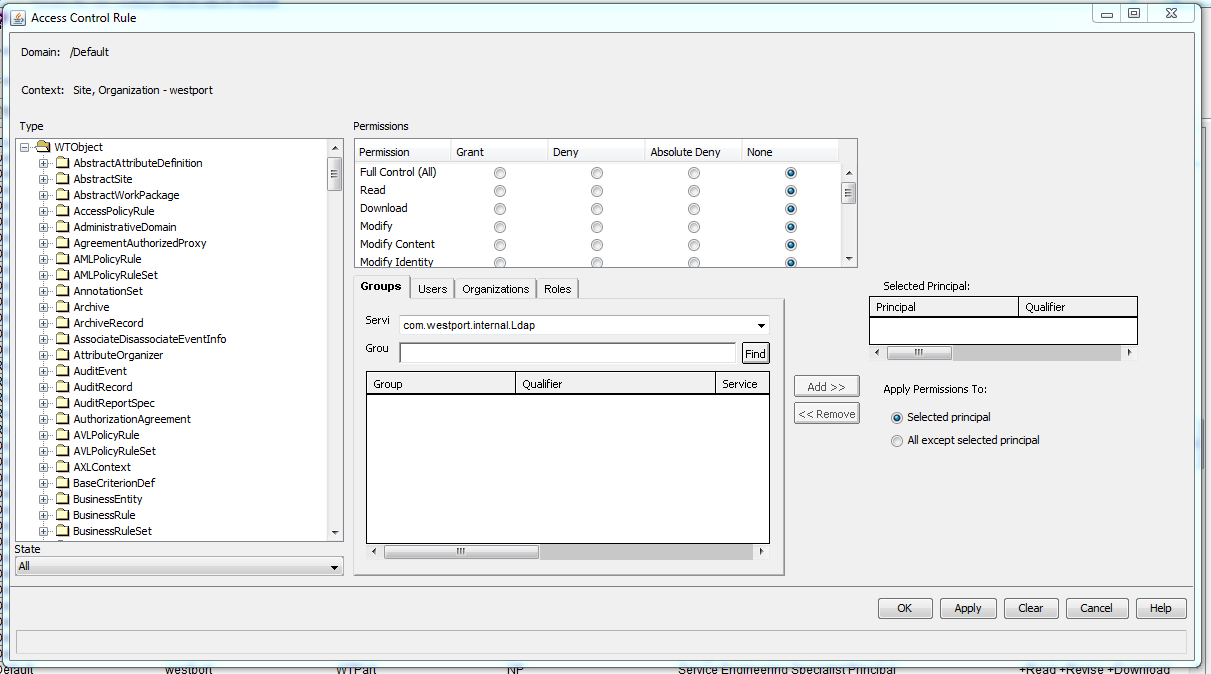
You pick a Type from the list on the left, select which State the rule applies to, select a Principal using the Groups/Users/Organizations/Roles filters (it is highly recommended never to add a rule on specific Users) and Add them to have them as the Selected Principal, and then you pick the Permissions.
The Permissions shown above allow Grant, Deny, Absolute Deny and None. Granting some of them will also automatically trigger Grant for some others (i.e. selecting Grant to Modify will also Grant Read and Download, for example), and gives the Principal the selected access.
Deny removes access to something. Please note that the Policy Administrator access is based on a layered hierarchy, and all of the defined rules work downward going from Site, to Org, to PDM, to a context folder. If you give Grant to something at the Site level and then put Deny at the Org level, the Deny rule will take precedence since it was on the lower layer (and vice versa).
Absolute Deny is a stronger version of Deny; it cannot be overridden by a lower-level Grant line.
There is one other thing to consider, just because someone has access via the Policy Administrator doesn't guarantee that they can actually do anything. There are two other access control systems that overlap with this: user Profiles and the Configure Actions for Role function on the contexts, which control which action buttons users can see. You have to make sure they all line up; if someone has Full Control All on something but you have disabled their view of the Edit or Revise buttons via their Profile/Configure Actions for Role, they still won't be able to do those functions (and vice versa, someone could see the buttons but not have access via the Policy Administrator so if they try to use it they get an error popup).
Hope that helps...if you wish, list out precisely what kind of access you want to give/restrict and I could suggest some specific lines for you.
Enter your E-mail address. We'll send you an e-mail with instructions to reset your password.