10-Marble
March 9, 2023
Solved

Searching for & retrieving a previous revision of prt/asm/drw

  • March 9, 2023
  • 1 reply
  • 4630 views

We are currently on Windchill PDMLInk Release: 11.2.1.17.  We were supposed to upgrade first quarter 2023 but it was moved to 2024 by management. 


In earlier versions of Windchill a user could do a search for a objectname* & get all revisions, prt/asm/drw.  From there it was a clunky but doable process to restore a previous revision when needed (a extremely rare situation).  However, today I attempted to show it was done & as a user my search only showed the current revision(s).  


Logging in as organization admin (in a seperate browser) I was able to successfully see ALL of the revisions of that same object name.   


It's been a long time since I attempted this, certainly a few versions ago.   Is there a permission lever that our users would need to be able to search for & access previous revisions?


Thanks,

Joe S. 


Best answer by TomU

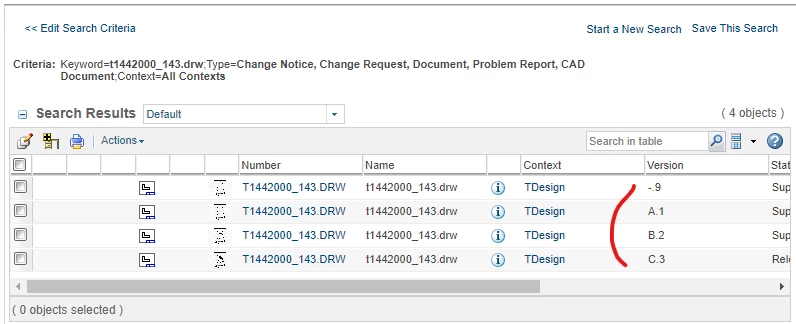
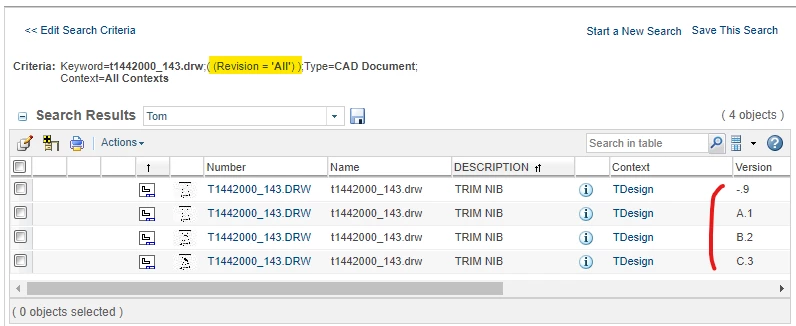
Yes, this makes sense.  There are two ways to get the search results to display multiple revisions of the same object.


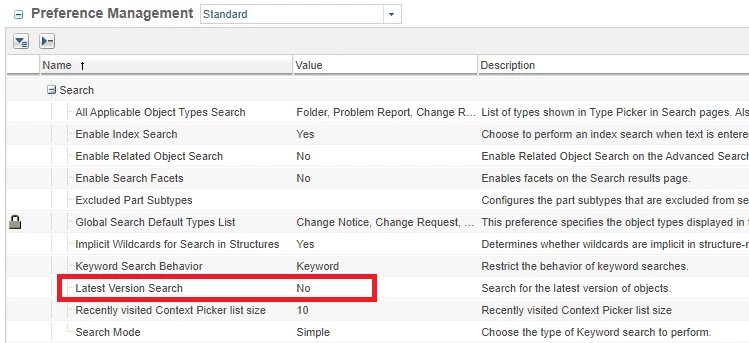
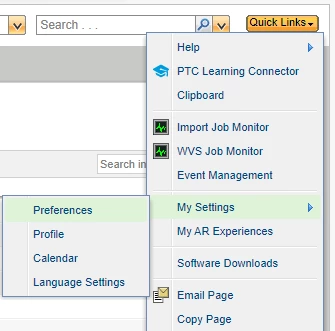
1.)  Change your search preference 'Latest Version Search' to 'No'.  This will affect all searches.

TomU_0-1678465402761.png

TomU_4-1678465661476.png

TomU_3-1678465595296.png


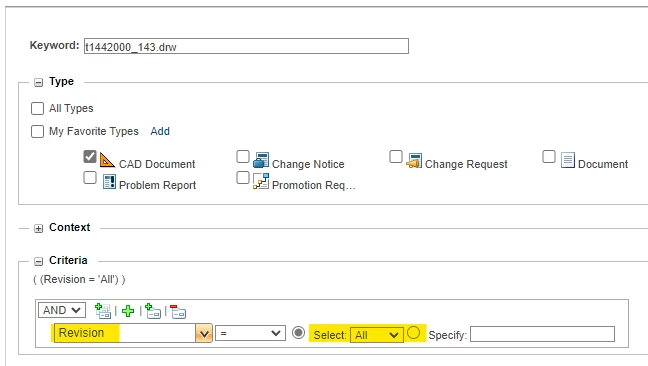
2.)  Search explicitly for all revisions.

TomU_5-1678465790751.png

TomU_6-1678465823916.png


1 reply

23-Emerald IV
March 9, 2023

Object permissions are controlled by lifecycle states.  If the non-latest versions (revisions) are at the same lifecycle state, then they should all be visible from the object's history page.


Keep in mind that this is not what is seen from search results or when viewing a folder.  The search and folder display can be configured to only show the latest version or to show all versions.


For example:

TomU_0-1678375063224.png


jschutte10-MarbleAuthor
10-Marble
March 9, 2023

Hi Tom,

Two things. 

The State in all our files (prt.,asm., & drw) are set to "In Work".  We do not use the workflow in Windchill, we use a different program & publish from there.  If the drawing is released, the user has to increment the revision level in Windchill & make the change.   But in Windchill the objects always stay "In Work".


The Latest Version Search in Preference Management is set to "No".   


Funny thing is this problem of only seeing the latest version seems to effect only myself.  I had another user check & they can see all versions/revisions in Windchill.   Weird problem,  


23-Emerald IV
March 9, 2023

Can you please clarify where you're seeing the difference?  Is this in the search results, objects displayed in a folder, or single object's history?