14-Alexandrite
January 5, 2024
Solved

Sending the Attribute in the change task to the Change Notice with the Alias ​​Attribute

  • January 5, 2024
  • 1 reply
  • 1243 views

Hello dear community,

I want to reflect an attribute I use in the change task to the change notice to which it is linked.

I think I should use an alias attribute for this, but when I try it I get an error.

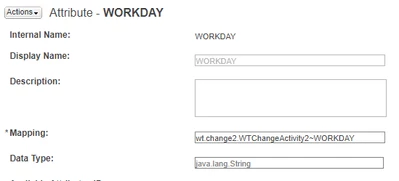
The attribute named WORKDAY is selected in the change task and I want it to appear in the primary attribute in the change notice.


In the article on support, it is written that you should use the "wt.change2.WTChangeActivity2" method for the change task.

The MAP I tried in the Alias ​​attribute is as follows;


OnurNalbantgl_0-1704439389742.png


Best answer by Fadel

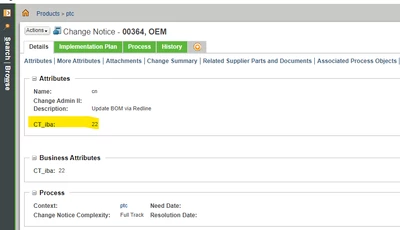
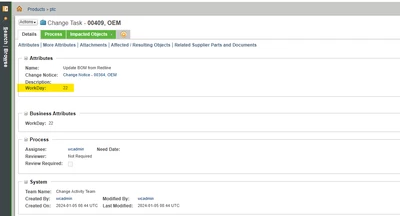
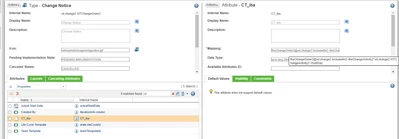
use below mapping :

theChangeOrder2@wt.change2.IncludedIn2~theChangeActivity2^wt.change2.WTChangeActivity2~WorkDay

CN : 


Fadel_0-1704444687554.png

CT : 

Fadel_1-1704444736970.png


Alias :

Fadel_2-1704444767378.png


1 reply

Fadel
Fadel23-Emerald IAnswer
23-Emerald I
January 5, 2024
Buiꓘa
14-Alexandrite
January 5, 2024

@Fadel 
Your statue should be erected at the entrance of the community.

Thank you very much, great solution and explanation.