
12-Amethyst
August 19, 2016
Solved

Thumbnail color - drawing images

  • August 19, 2016
  • 1 reply
  • 6642 views

Background:

During check in, thumbnails are generated for both models and drawings, so far so good.

I use a mapkey to use only the custom check in routine with both models and viewable objects.

What I would like to control is how the thumbnail drawing images are generated.  I don't have any issues with the model.

Issue:

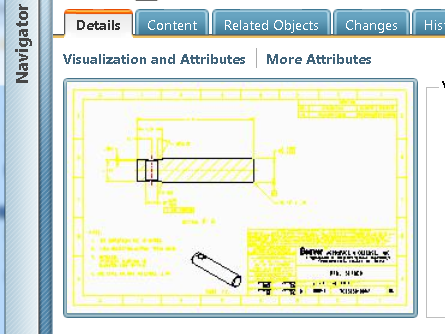
When I use a blue background and check in, I get this in Windchill, both large and small thumbnails:
yellowpic.png

This is not so legible.  It opens in Creo View like this also and is very difficult to read.

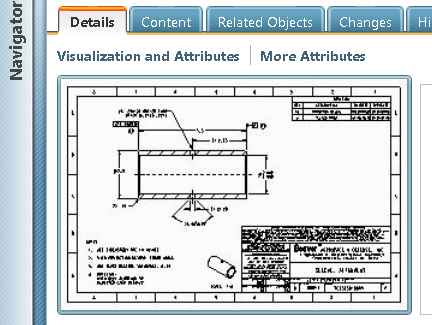
When I change to a white background:
monopic.png

This works and is legible in WC and Creo View.

So the question:

How do I configure the monochrome thumbnail creation without having users change or force to B/W background?

Thanks

Best answer by TomU

Thumbnail generation can ben enabled in the recipe file on the cad worker and optionally on the local Creo installation.  If enabled, Creo will generate the thumbnail during representation creation.  If not enabled, then the server's thumbnail generator will create the thumbnail after check in.  Either way, the thumbnail is derived from the created representation.  This means what you see in Creo View should match what you see in the thumbnail (except the background color which can be controlled independently.)

Conclusion:  You need the system colors to be consistent during representation creation (Creo View file, PDF, etc.).  Either the users need to work with the same system colors file or you need to switch to publishing on the server side.

1 reply

16-Pearl
August 19, 2016

Hi Ron,

I think you can set the background colour of thumbnails generated by WVS by setting a property in the wvs.properties.xconf file..

thumbnail.generator.backcolor

Default Value: 255,255,255

Synopsis: Sets the image background color for thumbnail generator.

Description: Specifies the image background color to be created by the thumbnail generator. The three numbers represent red, green, and blue in the range 0 to 255.

I have 2 CAD systems that want different settings, black for AutoCAD, white for CATIA /?

23-Emerald IV
August 19, 2016

I don't think Windchill is generating the thumbnails in this case.  I think Creo is creating them before check in...

23-Emerald IV
August 19, 2016

I think I might be wrong.  I just did a custom check in with model and viewables.  (I made sure the background in Creo was some funky color first.)  The thumbnail was definitely created by my server side thumbnail generator, NOT by Creo.  Since it was created server side, the "thumbnail.generator.backcolor" property did take effect.

So, it would appear that when publishing is done on the server side, the Creo View Adapters are creating the thumbnail during representation creation.  When viewables are created as part of check in, thumbnail generation is handled by the stand-alone thumbnail generator.  Either way, I'm betting the property mentioned will do what you want.

To answer your other question, this is a server side property that would need to be set by your site administrator.  Most likely Windchill will need to be restarted for it to take effect.