
12-Amethyst
August 19, 2016
Solved

Thumbnail color - drawing images

  • August 19, 2016
  • 1 reply
  • 6642 views

Background:

During check in, thumbnails are generated for both models and drawings, so far so good.

I use a mapkey to use only the custom check in routine with both models and viewable objects.

What I would like to control is how the thumbnail drawing images are generated.  I don't have any issues with the model.

Issue:

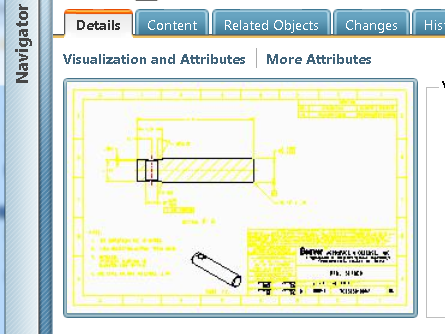
When I use a blue background and check in, I get this in Windchill, both large and small thumbnails:
yellowpic.png

This is not so legible.  It opens in Creo View like this also and is very difficult to read.

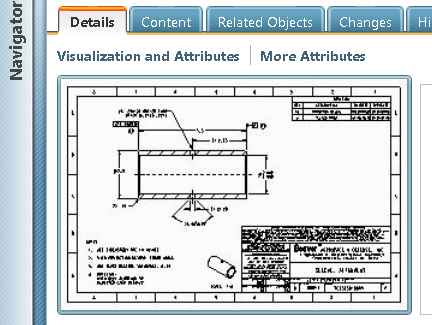
When I change to a white background:
monopic.png

This works and is legible in WC and Creo View.

So the question:

How do I configure the monochrome thumbnail creation without having users change or force to B/W background?

Thanks

Best answer by TomU

Thumbnail generation can ben enabled in the recipe file on the cad worker and optionally on the local Creo installation.  If enabled, Creo will generate the thumbnail during representation creation.  If not enabled, then the server's thumbnail generator will create the thumbnail after check in.  Either way, the thumbnail is derived from the created representation.  This means what you see in Creo View should match what you see in the thumbnail (except the background color which can be controlled independently.)

Conclusion:  You need the system colors to be consistent during representation creation (Creo View file, PDF, etc.).  Either the users need to work with the same system colors file or you need to switch to publishing on the server side.

1 reply

16-Pearl
August 19, 2016

Hi Ron,

I think you can set the background colour of thumbnails generated by WVS by setting a property in the wvs.properties.xconf file..

thumbnail.generator.backcolor

Default Value: 255,255,255

Synopsis: Sets the image background color for thumbnail generator.

Description: Specifies the image background color to be created by the thumbnail generator. The three numbers represent red, green, and blue in the range 0 to 255.

I have 2 CAD systems that want different settings, black for AutoCAD, white for CATIA /?

23-Emerald IV
August 19, 2016

I don't think Windchill is generating the thumbnails in this case.  I think Creo is creating them before check in...

12-Amethyst
August 19, 2016

How do you do this Tom?  Are you a God?

You compiled all this stuff so fast, and it's relevant! 

After hurting myself with all this learning, it seems I got a much better understanding of what is going on.  Way better than searching the site.

A big thanks to all that chimed in too!  Extremely helpful.

Hopefully we left a trail that may help others in the future.

We are hopefully upgrading our WC soon and I'll put my 2 cents in with regards to having a server side publisher activated but

until then, I guess I'll have to accept the user side publishing for now.

Maybe I'll create mapkeys for them to change back to their favorite scheme after I change it to what I need with the custom check in routine.  Hmmm.....

Thanks again y'all