
Solved
Watermark Editor
Hi Everyone,
Can we get the APPROVERED_BY/APPROVERED_DATE & REVIEWED_BY/REVIEWED_DATE watermark .ini format. Is there any possibility.
Regards,
Amir

Hi Everyone,
Can we get the APPROVERED_BY/APPROVERED_DATE & REVIEWED_BY/REVIEWED_DATE watermark .ini format. Is there any possibility.
Regards,
Amir
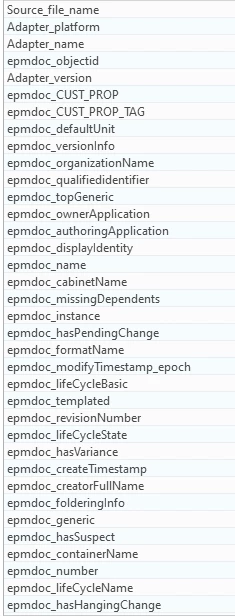
You should have access to any published attributes against the object. If these values are parameters in the CAD file only and not shared with Windchill, then no. They must be shared and designated to make them visible to use in Watermark editor. Also, if they are on a related object such as a change notice, you'll need to configure an alias attribute on your EPMDocument to have them show up. Either way, you can only show attributes that appear for the object that you are viewing. You can see that in Creo View in properties window:
Enter your E-mail address. We'll send you an e-mail with instructions to reset your password.