

add life cycle status issue
Hi i'm SeonHo
There is an issue in adding the state to the life cycle.
Added new lifecycle status through the enumCustomize.bat command in the windchill Shell
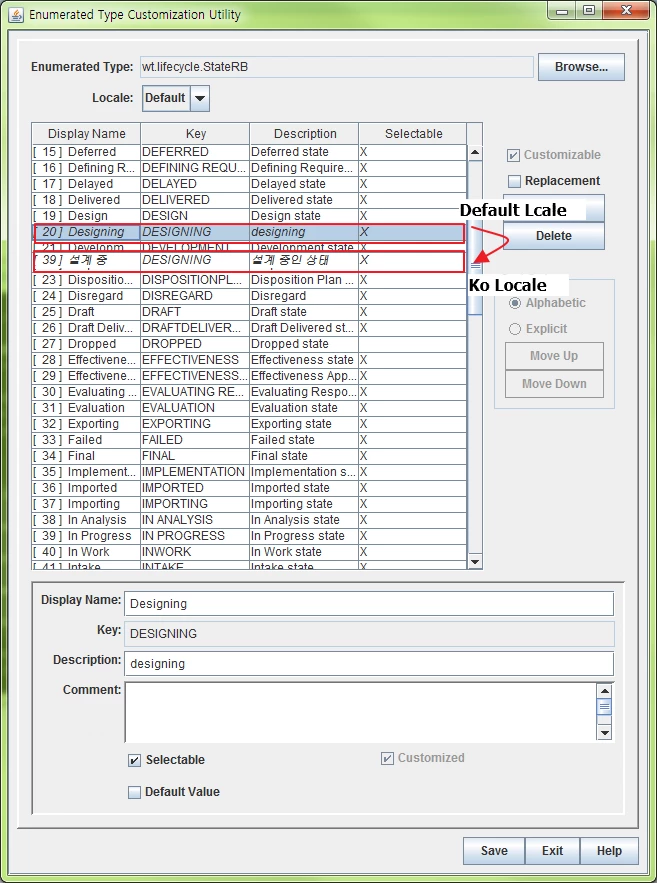
I then saved it and used the Enumverify wt.lifecycle.State command in the windchill shell
However, the following message was printed
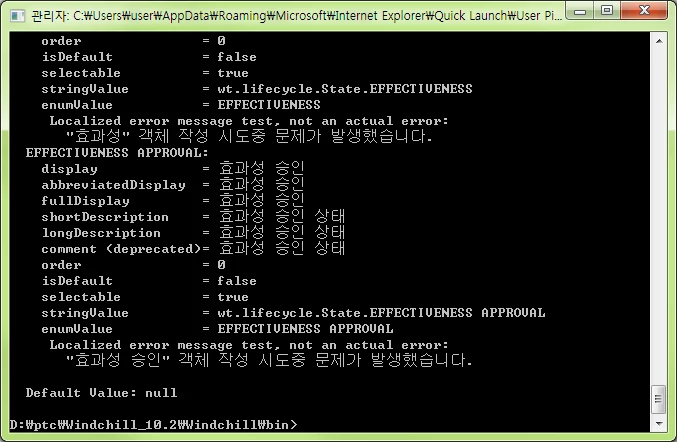
EFFECTIVENESS APPROVAL:
display = <status>
abbreviatedDisplay = <status>
fullDisplay = <status>
shortDescription = <status>
longDescription = <status>
comment (deprecated) = <status>
order = 0
isDefault = false
selectable = true
stringValue = wt.lifecycle.State.EFFECTIVENESS APPROVAL
enumValue = EFFECTIVENESS APPROVAL
Localized error message test, not an actual error:
There was a problem creating the object "<status>".
If you then use the Ant -f codebase / MakeJar.xml custUpdate command, you will see the following message
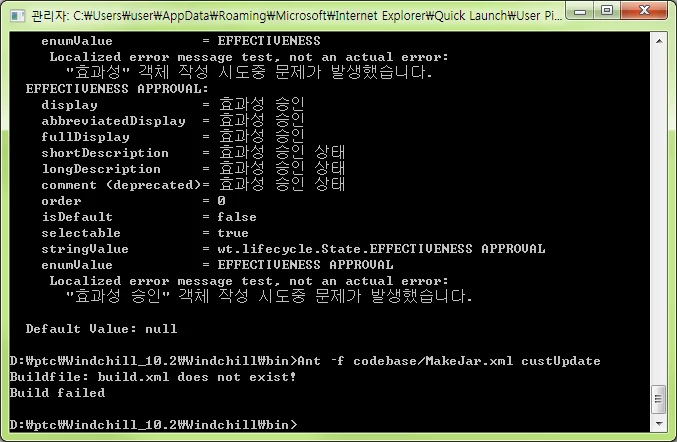
Buildfile: build.xml does not exist!
Build failed
I stopped windchill and started it again.
What should I do?
Thank you.