21-Topaz I
February 16, 2022
Question

What's New in Vuforia Expert Capture and Vuforia Instruct 2.8.0

  • February 16, 2022
  • 2 replies
  • 2249 views
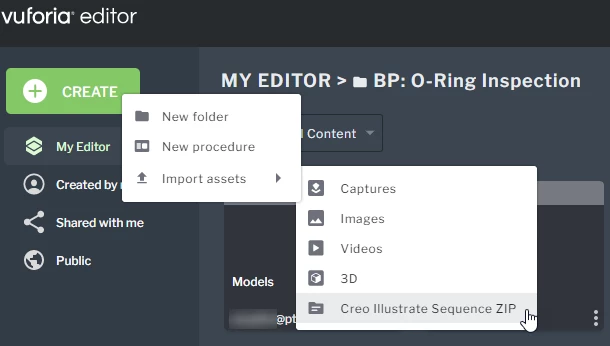
  • Ability to create a procedure by importing a .zip file that contains a Creo Illustrate Procedure Package and media assets
    • image.png
  • New global search functionality allows you to search across all Vuforia Editor content (inside and outside of folders)
  • Ability to move folders into other folders
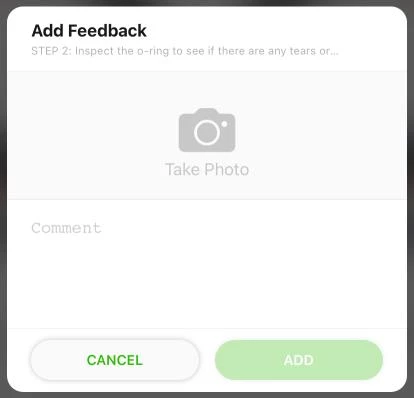
  • Ability to include an image when providing feedback on a step
    • image.png
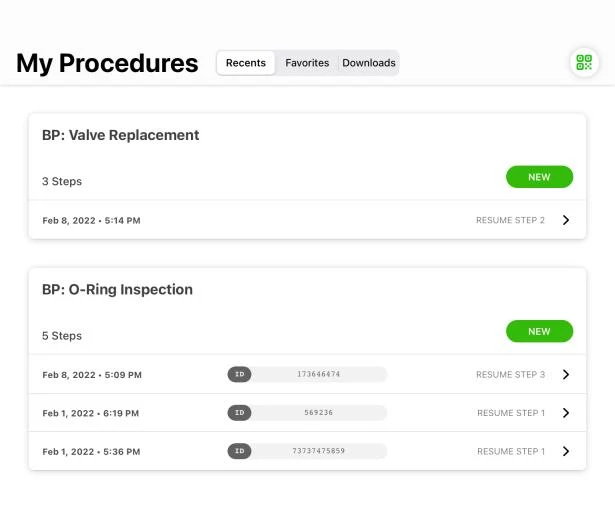
  • Improvements to the Recents tab on the My Procedures screen in Vuforia Vantage to group in progress sessions by procedure
    • image.png
  • Vuforia Vantage is no longer supported on iOS 13
  • Memory leak issue has been resolved for Android OS
    • It is highly recommended that Android users update to the latest version of Vuforia Vantage to immediately resolve this issue
  • Improved progress indicator when loading a 3D model asset (Vuforia Instruct only)
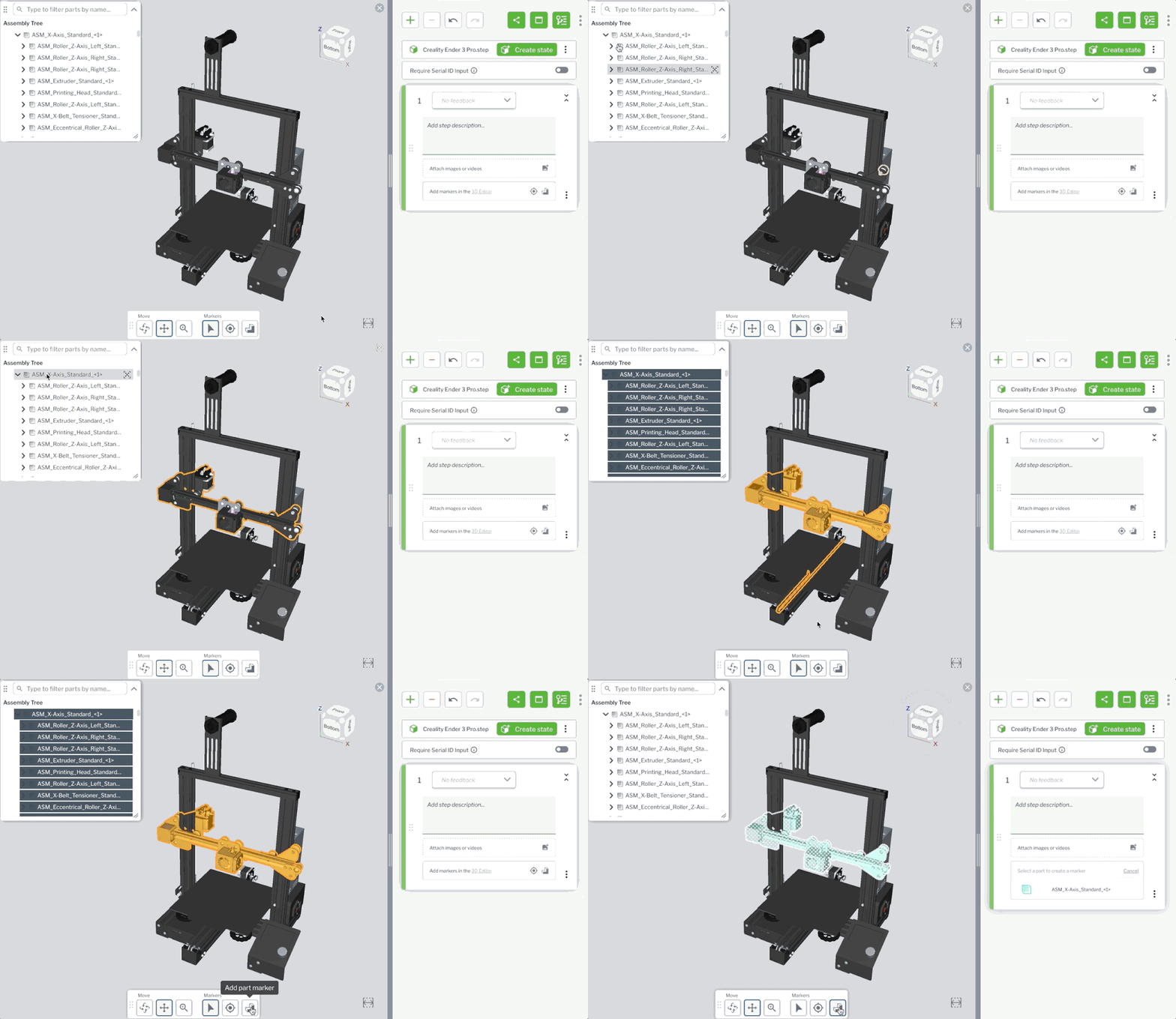
  • Ability to add an assembly marker to a model (Vuforia Instruct only)
    • whats_new_assembly_marker
  • Improvements to the AR experience (Vuforia Instruct only):
    • New indicator for marker count
    • New marker presentation for occluded parts
 

2 replies

16-Pearl
February 17, 2022

Thank you. Big news!

14-Alexandrite
February 22, 2022

This last update is huge and brings lot of benefits. I like the photo feedback, that will help a lot. But, it will be more helpful if the photos taken with the mobile device would provide an option for AR marker, that are also shown with Vantage. If I took a photo as feedback, the Insights user has to look into the procedure to notice the marked location and/or the marked parts. Or does a Vantage user has some features to edit the photo before complete the session and transmit the results/feedback?


See attached - AR marker from the procedure - feedback photo shown in Insights


CheerEO

Marco

tmccombie21-Topaz IAuthor
21-Topaz I
March 14, 2022

hi @mwodarz_INNEO. Thank you for the great feedback! We currently do not have the functionality to edit the photo prior to sending it back to Insights. This is in our backlog to enhance image feedback but we do not have a near term ETA for when it will be included.