How to use ThingWorx data to automatically display information in a Vuforia Studio Experience
- November 21, 2019
- 2 replies
- 2657 views
How can ThingWorx (external) data be used to update an experience in real-time?
For example, if the data does not fall within a specified range, warning messages will be shown automatically.
- In ThingWorx, in Thing, create a Service to check the range and to determine if a warning should be displayed or not.
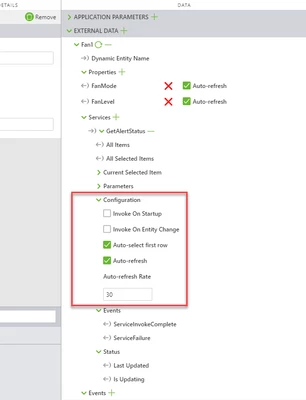
- In Vuforia Studio, in the Project, in DATA panel, under External Data section, add the Service.
- Under Configuration section, check all checkboxes related to refresh to call this Service.
- Use the ServiceInvokeComplete Event to check the value reported by the Service