

Opening PDF documents using toggle buttons
- November 1, 2019
- 0 replies
- 953 views
PDFs can be linked to experiences using a few methods. Below is an example of using the toggle widget or a toggle button to open and close a PDF within your experience.
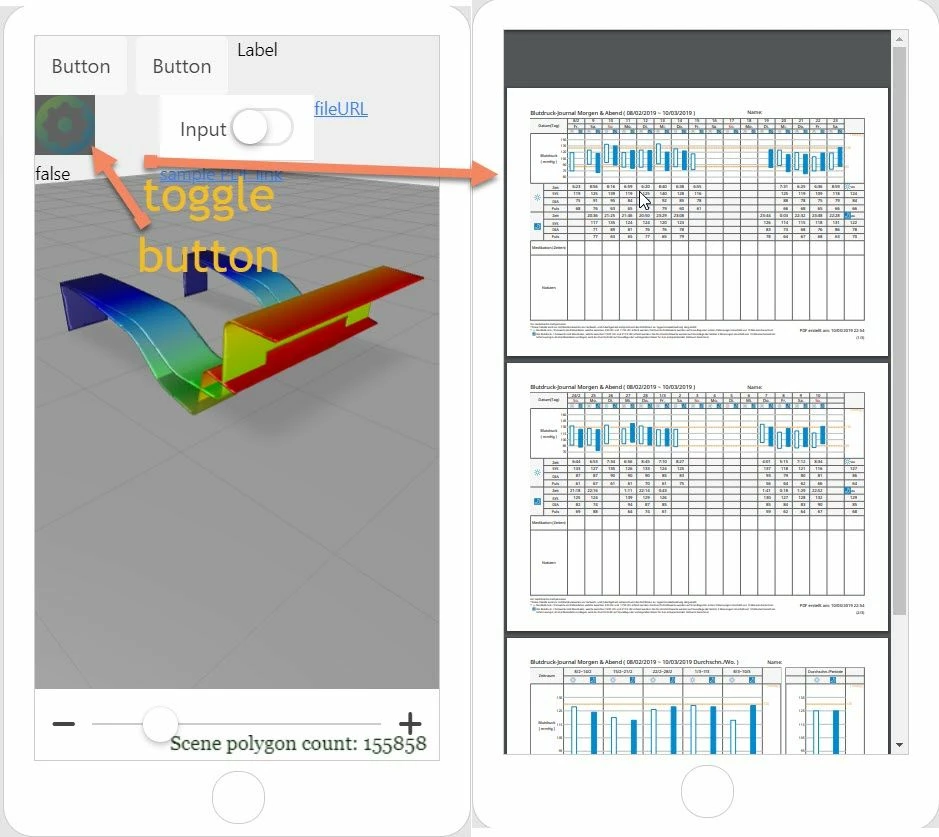
Example of JavaScript code to add to Home.js file:
 $scope.toggleButton = function() {
 //if the toggle is pressed
if ( $scope.view.wdg['toggleButton-1']['pressed']==true) {

 window.location='app/resources/Uploaded/%5BBD-Logbuch%5D20190208-20190310.pdf'
 console.log($scope.view.wdg['file-1']['url'])
 }
//unpress the toggle button after 1,5 sec
 $timeout(function () { $scope.view.wdg['toggleButton-1']['pressed']=false;}, 1500);
 }