

Question
2D cross sections in Drawing file
Hello,
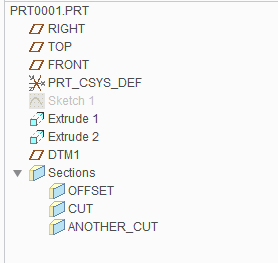
I have a part file in which below three sections [Cut, OFFSET and ANOTHER_CUT] have been created using View->Section as below:
For drawing file of same part, I would like to provide section details in a view. So, I would go to Drawing View manager. Then will select Sections and choose 2-D Cross Section. By clicking on + sign, below will be available:
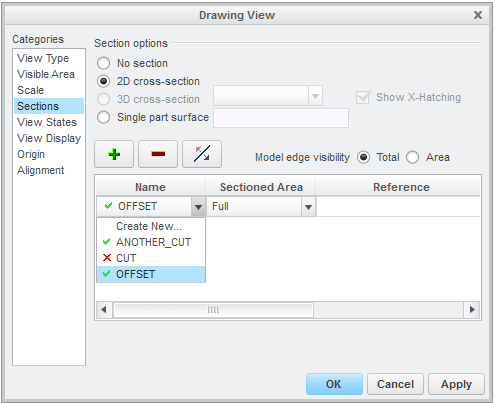
I would like to know significance of green sign of right and red sign of wrong in front section name. What does these signs indicate?
Thanks and Regards
Ketan
This thread is inactive and closed by the PTC Community Management Team. If you would like to provide a reply and re-open this thread, please notify the moderator and reference the thread. You may also use "Start a topic" button to ask a new question. Please be sure to include what version of the PTC product you are using so another community member knowledgeable about your version may be able to assist.