1-Visitor
April 14, 2016
Question

circle sketch over an existing hole

  • April 14, 2016
  • 2 replies
  • 4015 views

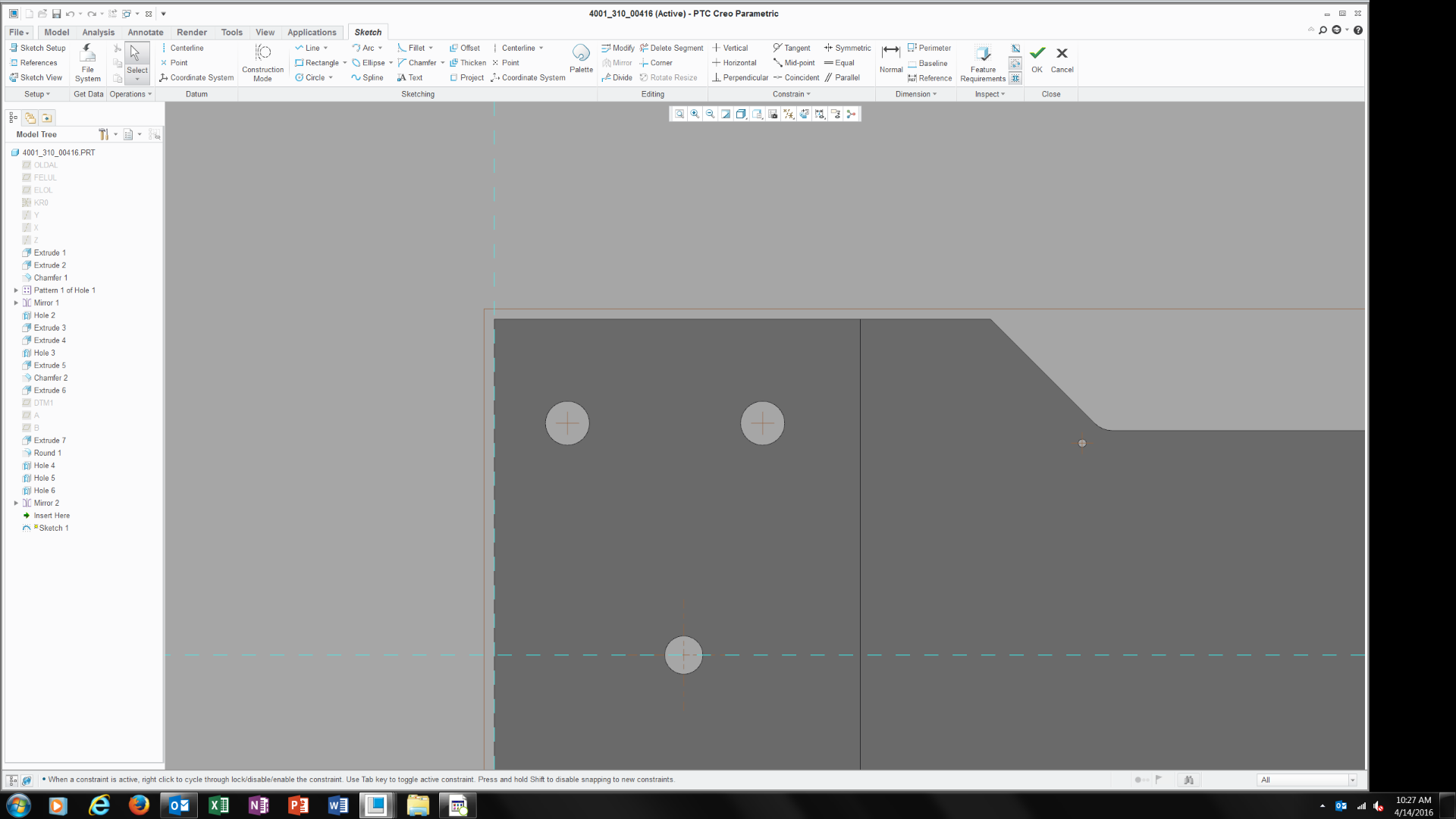
I can't figure out how to place a circle sketch over an existing hole, why can't it snap to the centers of the existing circles. 
    2 replies

    23-Emerald III
    April 14, 2016

    Select the reference icon and then select the hole or the axis as a reference and it will constrain to the hole.

    1-Visitor
    April 14, 2016

    not sure I follow you.  I new to this program

    23-Emerald III
    April 14, 2016

    The reference icon is here. It allows you to select geometry or datums to reference in your sketch.

    When you use a hole as a reference, if you move the hole, your sketch will move with it (depending on how you dimension it).

    1-Visitor
    April 14, 2016

    This is from PTC's Tips and Tricks document - Please find the document attached to view their Tips and Tricks

    A Faster Way to Select References

    As you create geometry using the Sketcher tool, you

    may want your cursor to automatically snap to existing

    geometry (e.g., a reference) to more easily align

    components within your drawing.

    However, if you’re in the middle of using the Sketcher command, it’s

    too late to select a reference. You have to create your

    references before you start sketching. Alternatively,

    you can cancel the Sketcher tool, go to the upper left

    hand corner of your screen, use the Reference tool to

    specify the references, and then go back to using the

    Sketcher tool.

    With Creo 3 -

    The Alt key suspends the Sketcher tool, allowing

    you select your references as you work. As you

    sketch, simply hold down the Alt key and select your

    references. Releasing the Alt key instantly returns you

    to the Sketcher tool. You can now snap your cursor to

    the references you just selected. This tip applies to any

    version of PTC Creo Parametric.
