

Question
Drafting help needed..
Long time lurker, first time poster...
I have a drawing view consisting of a 60-hole bolt circle. I did a Show Model Annotation to display the centerline of the bolt circle, which includes the center line tick marks for each hole. I then edited the the bolt circle pattern to add an an additional 4-holes. The problem I'm having is I'm unable to get the center line tick marks for the new holes to show in the drawing view. I've regenerated the model, updated the views...I tried to show the axis for the new hole directly via the model tree, all to no avail. I can get them to show if I create a new view and show model annotations.
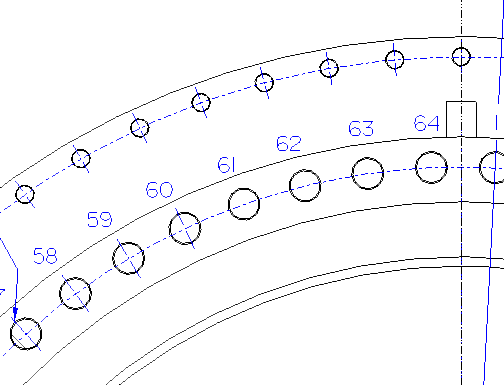
Please help.
Thanks!
This thread is inactive and closed by the PTC Community Management Team. If you would like to provide a reply and re-open this thread, please notify the moderator and reference the thread. You may also use "Start a topic" button to ask a new question. Please be sure to include what version of the PTC product you are using so another community member knowledgeable about your version may be able to assist.