Equivalent to Solidworks split line - Need for moldflow
- 4 replies
- 3102 views
- Translate All
My end goal is to bring parts into Autodesk moldflow, have surface splits exactly where my gate location is. This will allow Moldflow to populate a node exactly where I want it, allowing me to create a beam off that node and create my gate in the precise location.
Solidworks has a feature called "Split Line" that allows you to use sketch entities to split a surface, or face of a solid body, into separate surfaces and/or faces. A lot of the posts I've seen pertain more towards having the ability to change the color of the faces/surfaces. In my search I found the following solution:
"1. Copy and paste the surface you want to split. 2. Trim the surface the way you want it. 3. Apply a warp to the surface. Don't make any actual changes to it; just apply a warp feature and hit green checkbox. 4. Solidify it. It will now show up as a separate surface that you can paint in a separate color."
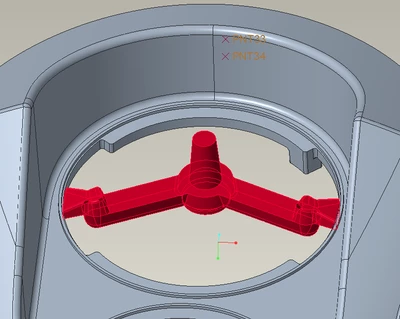
I tried this but it does not split every surface, and with the few parts I've tried it on, it never splits the surface I want it to. See the attached visual.
I'm wondering if there is some way to select which surfaces get split, if there's anther way in Creo to accomplish what I want, or if anyone works with Autodesk Moldflow and has a good method of precisely locating gates?