
10-Marble
April 29, 2016
Solved

Flip an angled datum plane dimension?

  • April 29, 2016
  • 2 replies
  • 2203 views

Greetings,

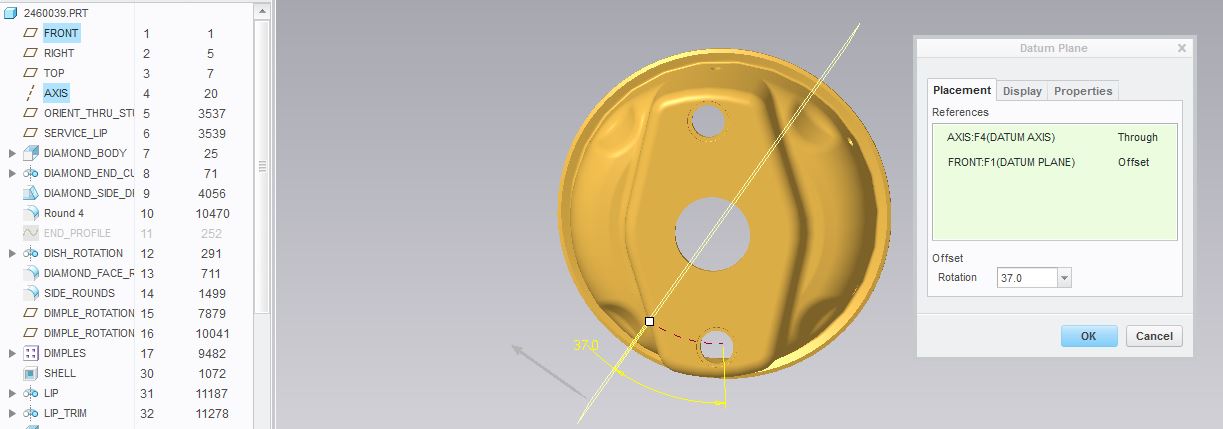
Is there a way to flip the dimension of an angled datum plane to the opposite side?

I can type negative on the dimension but that just flips it horizontally across the datum plane.

I need the dimension to go in the upper quadrant so that the numbers will be correct when they go past 90 degrees.

I have tried selecting front, back of the datum plane to no avail.

Any weird key clicks like hold shift or something that the ergonomic click police have invented for this?
datum.JPG


This thread is inactive and closed by the PTC Community Management Team. If you would like to provide a reply and re-open this thread, please notify the moderator and reference the thread. You may also use "Start a topic" button to ask a new question. Please be sure to include what version of the PTC product you are using so another community member knowledgeable about your version may be able to assist.
Best answer by psobejko

Amazing, but I don't think that's possible in the standard modeling mode.

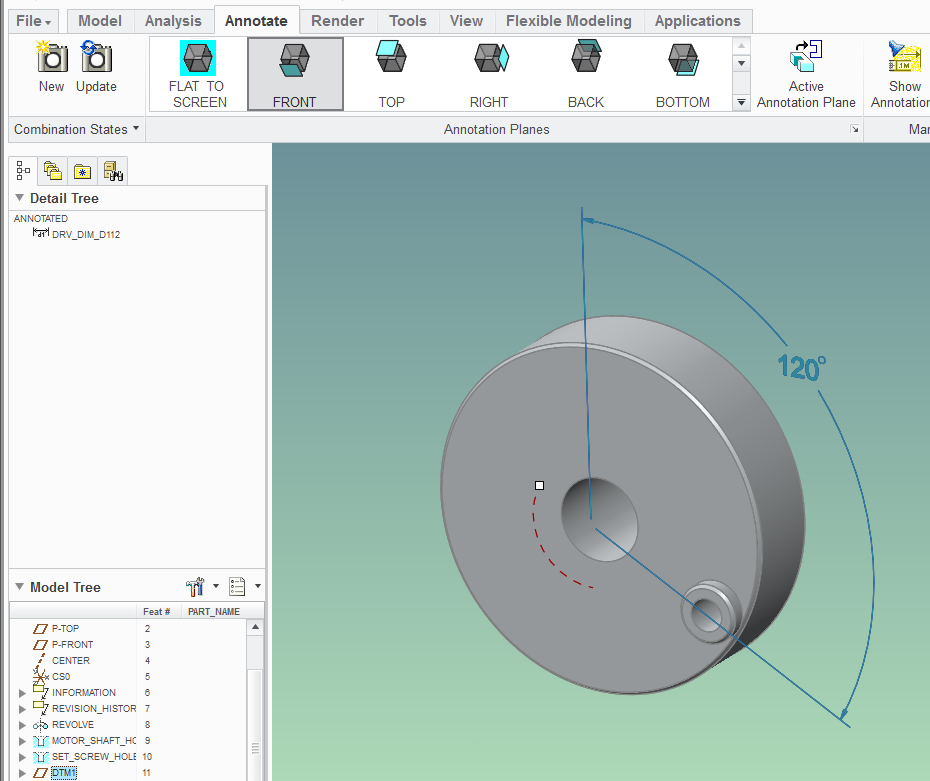
You can get tantalizingly close by right-clicking on the 37.0 dimension, selecting "properties" and then using "Move" to get the dimension to show up in the upper right quadrant.  Unfortunately, the dimension doesn't stay there... (Creo 2.0 M210).

You can get the dimension to show up properly on a combined state:

clock_angle_example.png

And of course, you can move the dimension to the correct place in the drawing...

2 replies

mjenkins10-MarbleAuthor
10-Marble
April 29, 2016

I think this is the same question as below with no answer:

Angle datum - any way to change sign of dimension?

psobejko1-VisitorAnswer
1-Visitor
May 2, 2016

Amazing, but I don't think that's possible in the standard modeling mode.

You can get tantalizingly close by right-clicking on the 37.0 dimension, selecting "properties" and then using "Move" to get the dimension to show up in the upper right quadrant.  Unfortunately, the dimension doesn't stay there... (Creo 2.0 M210).

You can get the dimension to show up properly on a combined state:

clock_angle_example.png

And of course, you can move the dimension to the correct place in the drawing...

mjenkins10-MarbleAuthor
10-Marble
May 2, 2016

I made a revolved cut with a dimension from the upper quadrant to the axis.

Would be nice to be able to use the actual hole tool though.