Geometric Tolerance Issues
Was on Creo 3, just upgraded to Creo 10. I'm not happy with the new GTOL features. It seems significantly more limited than it was in Creo 3. From videos online, it seems the upgrade happened in Creo 4.
Main gripes:
1. What happened to the ability to select placement (i.e. free note, leader, tangent leader, in dim, in GTOL, etc)? You can select a reference but the ability to select how you want it displayed is greatly limited.
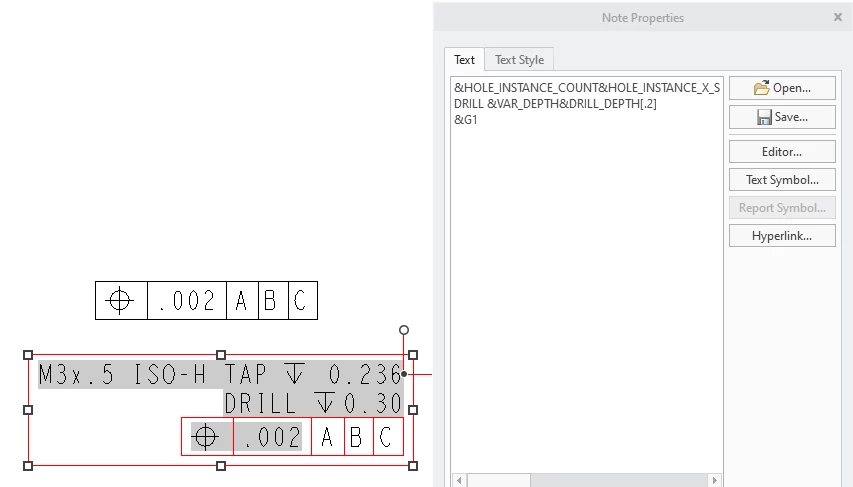
2. I'm attempting to add a feature control frame to a hole note. It's not possible and gives a very wonky result. There's no way to correct this within the GTOL.
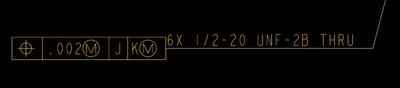
I found this suggestion which I can't get working, and it's a poor workaround for what was functionally possible in Creo 3 anyway.
Solved: how to place a GTOL on a hole note - PTC Community
3. Tangent GTOL leaders (i.e. flatness and parallelism). There's no option to flip the direction of the FCF. You're stuck with whatever orientation it gives you. (EDIT: This seems to work on horizontal but not vertical tangent leaders).
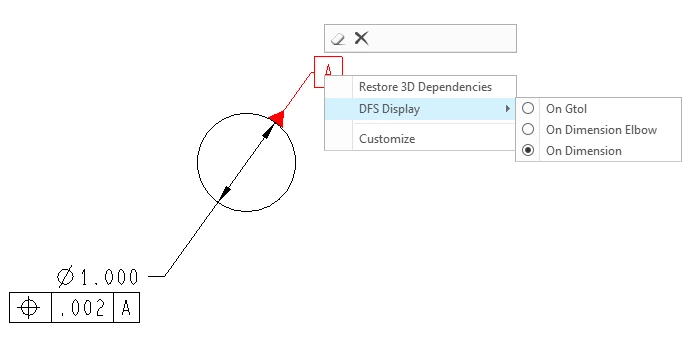
4. Datum flags - no option to change your references (i.e. move it from the diameter surface to the diameter callout or a FCF attached to the dia. The only way to accomplish this is to delete the datum and re-create it.
There's more but this is just what I ran into in the last 15 minutes. I assume this "improvement" was to get the GTOL to play nicely with Sigmetrix' GD&T advisor and EZ Tol Analysis... But it's crippled the already-lacking GD&T capability of Creo. I feel like Creo 10 is a significant downgrade from Creo 3 in this regard.
If anyone has any suggestions for the above, I'd appreciate it. I honestly thought the revamped GTOL would be a big benefit to upgrading Creo (as we use a lot of GD&T on our drawings), but it's pretty disappointing so far.