
1-Visitor
October 23, 2013
Question

Ordinate dimensions in purple

  • October 23, 2013
  • 3 replies
  • 7504 views

I have a drawing that uses ordinate dimensions, The refeence feature is modified/deleted and all of my dimensions change to purple.

I know how to update all of the dims except the main origin dimension (0,0)

The Edit Attachement does not work I also get the message: Functionality is not available on the selected item.

here is a screen shot

Any help would be appreciated.....Thanks
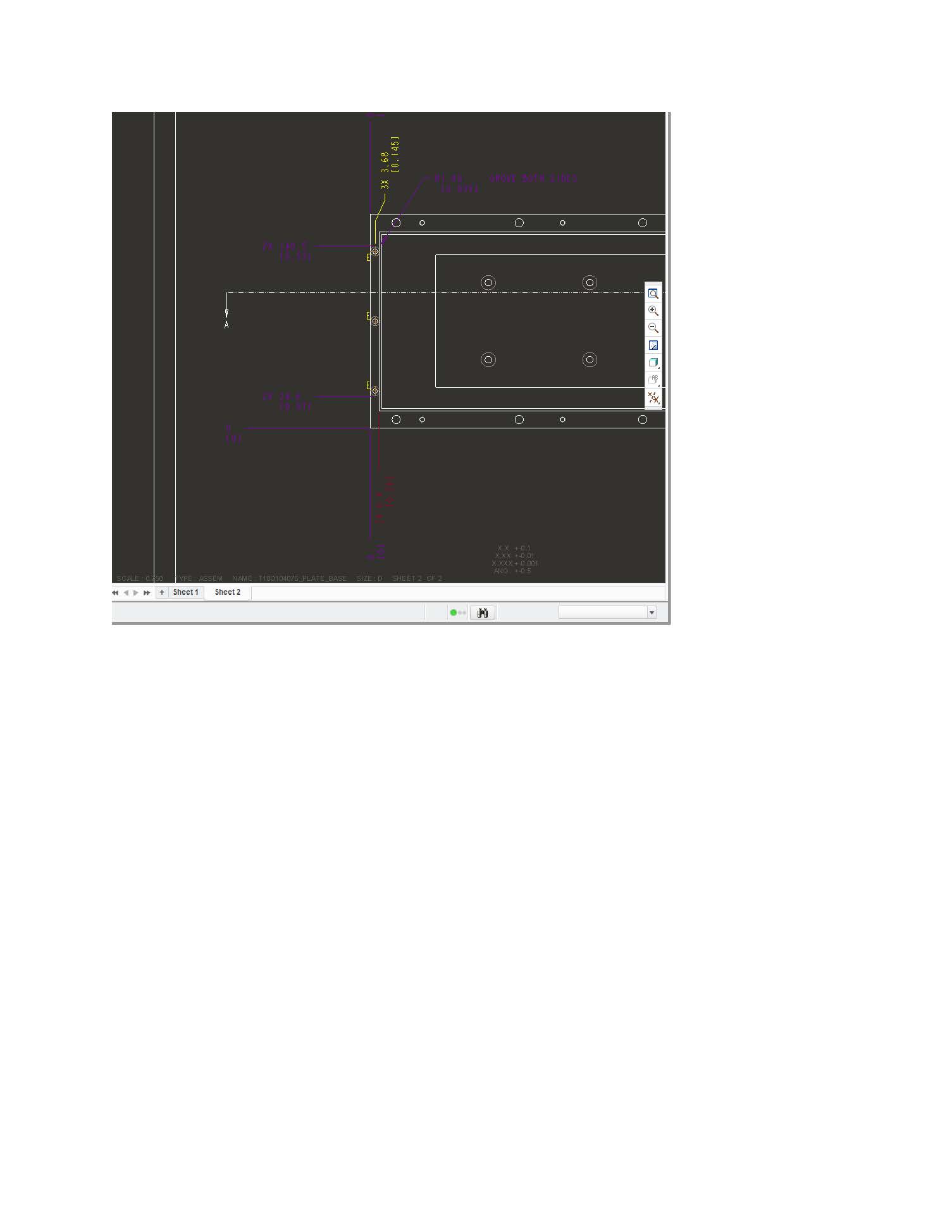
Doc1.jpg


This thread is inactive and closed by the PTC Community Management Team. If you would like to provide a reply and re-open this thread, please notify the moderator and reference the thread. You may also use "Start a topic" button to ask a new question. Please be sure to include what version of the PTC product you are using so another community member knowledgeable about your version may be able to assist.

3 replies

Dale_Rosema
23-Emerald III
23-Emerald III
October 23, 2013

What your ordinate dimension what pointing at / attached to is "no longer there" do to your modification. It doesn't know what to do, so it changes the dimension to purple. You may have to redimension.

And welcome to the forum.

1-Visitor
October 23, 2013

Exactly....I have to redemension, but is there a way inside of Creo to edit the attachment of the original diension so I do not have to redemension?

1-Visitor
October 23, 2013

Not that i know

1-Visitor
October 23, 2013

Right click the purple dimension or note and choose Edit atatchment.

The purple dimensions means that the references that you choose are unavailable or inexistant now.

1-Visitor
October 23, 2013

When I right click on the origin dim (0,0) it does not give me the option to Edit Attachment.....that option does exist for all the other dims???

1-Visitor
October 23, 2013

yes and for notes too

1-Visitor
October 24, 2013

I haven't been able to figure this one out either. Looks like there is no way to edit the base dimension attachment.

That's just too bad.