
1-Visitor
October 22, 2014
Question

Rotate parts in an exploded view? Wildfire 4.

  • October 22, 2014
  • 1 reply
  • 6499 views

ok so im working on an assembly that was made by someone else. i dont know the history of it.
i had to replace out an hinge.
so i put in the new hinge. its at 90 degrees. the assembly is modeled with the door closed.
so i check out the exploded views... there is one called "door open" which is great since having the door open in one of the drawing views would be great. but the new hinge is now wrong. the bottom is cocked at a wrong angle. so im trying to figure out how to fix it to match this exploded view.
through some research.... the little i could find about it... it said this is not possible. so here i am wondering how this was even made.
i know my company converted most of all our models from UG... is it possible it was made there?
help me out here.
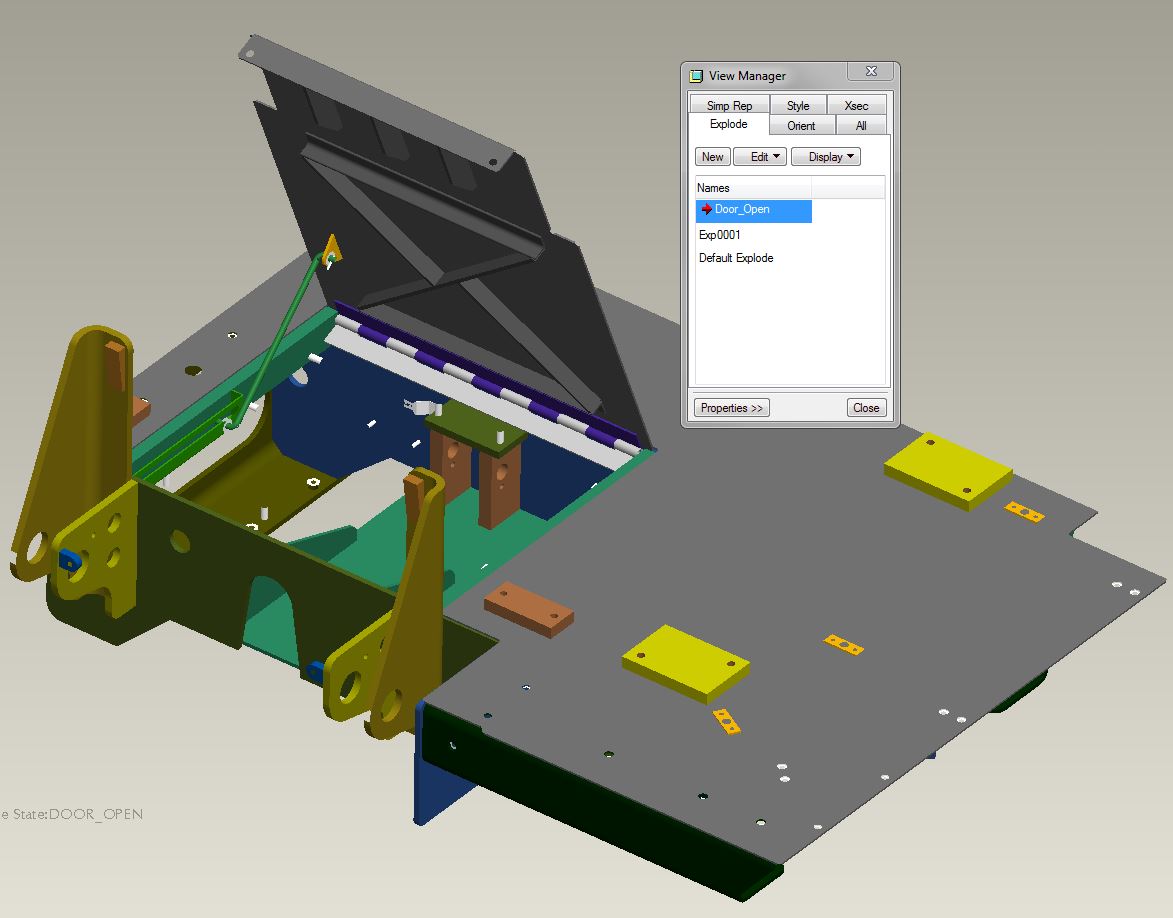
Capture.jpg


This thread is inactive and closed by the PTC Community Management Team. If you would like to provide a reply and re-open this thread, please notify the moderator and reference the thread. You may also use "Start a topic" button to ask a new question. Please be sure to include what version of the PTC product you are using so another community member knowledgeable about your version may be able to assist.

1 reply

17-Peridot
October 22, 2014

If the hinge is an assembly, you can rotate it in the explode process. If it was just a part, you either need a flexible state of the hinge in a family table or the hinge itself is a family table part. It is hard to tell the way it was done before other than looking at the history file. I vote for the hinge being an assembly with the option to manipulate it in the explode dialog. Otherwise, it gets a little involved.

1-Visitor
October 22, 2014

the hinge is an ASM...
my problem is dont know how to rotate it in the explode dialog...

17-Peridot
October 22, 2014

I do not use WF4 so it is hard for me to guide you. However, little has changed in capabilities or method. Somewhere in the interface you have the option to "reset" a part within an assembly. Obviously, the position of the fixed hinge want to be "copied" from the the item it is attached to. You can do the same with the part being hinged unless it is out of position. In that case, you want to position the hinge using copy to the fixed hinge 1st, and then finding the rotation option to when you drag the unfixed end, you position it where you like. You can even use steps to obtain a specific angle. After you position the unfixed hinge side, you can "copy" that position to the hinged component.

This has always been a frustrating interface. Once you think you got it, it is difficult enough to remember the steps next time. The only that helps me is the fact that I know what I need is there, and then I blindly go for it. Been able to do some pretty good things with it since this also passes into animation.