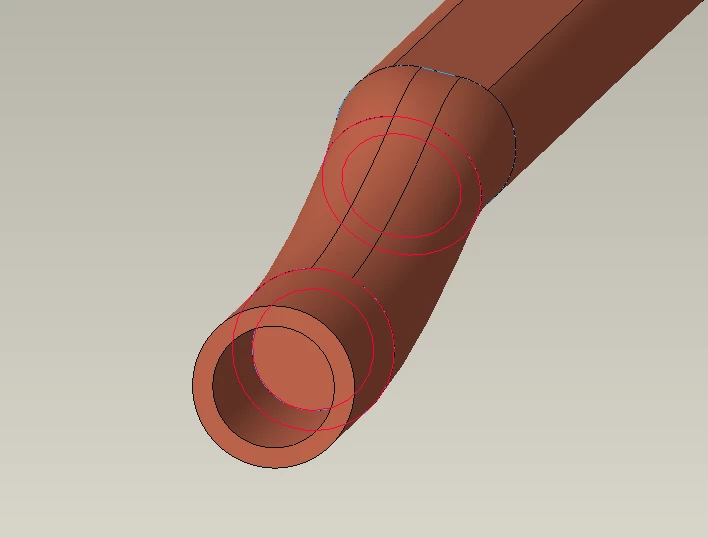
In reality what is this pipe made of and how is it manufactured?
For this type of geometry, I would suggest defining the centerline of the pipe as a 3D curve through space and use this as the sweep trajectory to create the interior surfaces (ID) of the pipe along the entire trajectory. Once you have the inside wall you can then thicken it to get a solid body representing the pipe. Make sure the sweep trajectory is valid for sweeps (Creo requirement) and that the path is consistent with the manufacturing limitations for the pipe (i.e. min bend radius).
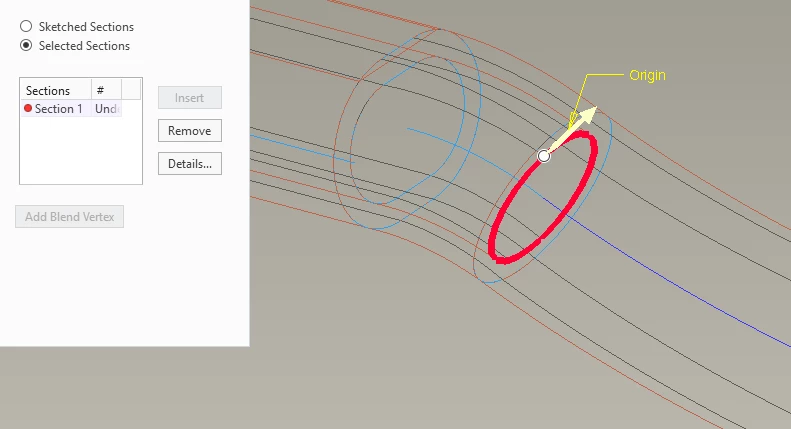
The method you are using (swept blend) can be tricky as the ends of the swept blend more often than not will not be congruent with the adjacent pipe section you are trying to use. This is usually caused by the trajectory used for the swept blend not being built to address the alignment of the normal vectors of the swept blend open ends to be congruent with the open pipe ends you need to match.
It appears that the trajectory curves have some issues that are likely problematic. In general, you want your sweep trajectories to have G1 (tangent) or higher continuity along the length, you do not currently have this in your model. By changing the start end of curve 1 to be tangent, the geometry check for sweep 6 is eliminated. Start by creating trajectory curves fit for purpose along the entire length.
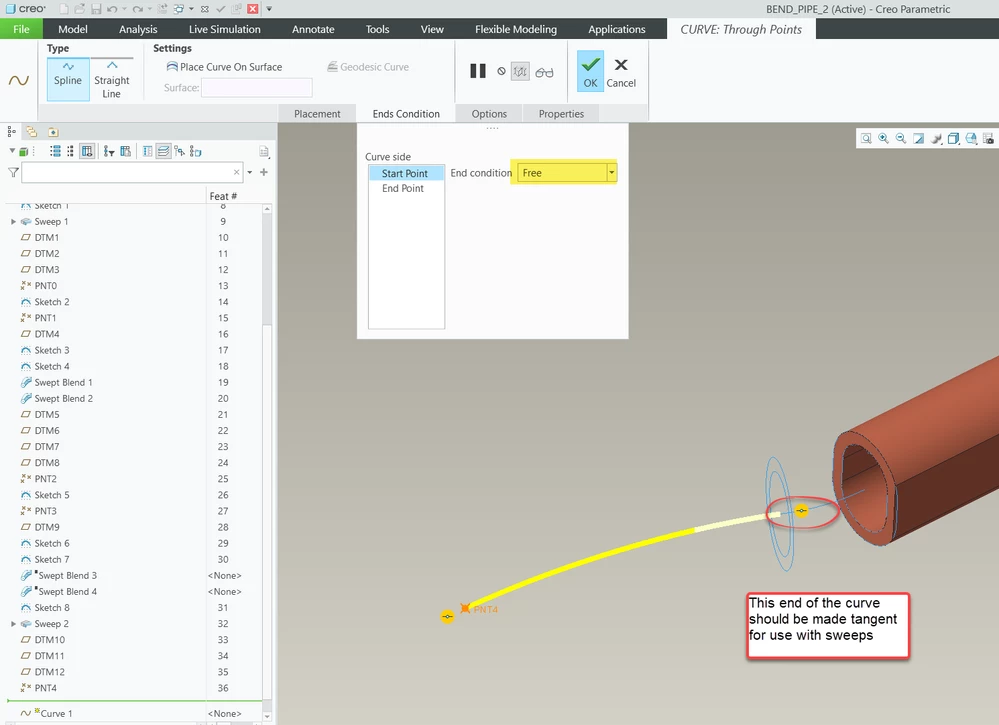
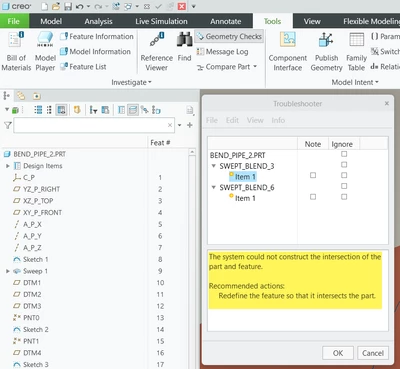
For troubleshooting check out the geometry checks in the model. These messages provide some insight into potential issues with your feature geometry.