15-Moonstone
December 6, 2021
Solved

What is best way to get Center Of Gravity points for a cross section?

  • December 6, 2021
  • 1 reply
  • 10652 views

Perhaps I may have inquired on this years ago, but I am wanting to find the center of gravity points for a series of sketches which will be strung together as a reference for a Swept Blend.


I do not own BMX so I can't directly enter the needed points in the model.


Is there a best way of determining the sketch center of gravities and place the corresponding point in the sketch?


In the past I used a work around in which I had to solve for each of the X, Y and Z values with an extrude to each section and separately enter the X,Y and Z values.  In Creo 7 it is seeming to be more of a challenge, but I likely eventually will figure out how to use the slow method. 


By any chance is there a quicker way to do this? 
Best answer by pausob

Nice demo!

As your video demonstrates, if the sketch in question lies on a plane that cuts other solids in the model, then the use of solid extrude and section properties will affect the apparent location of the sketch centroid.

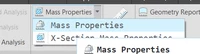
One "improvement" I can think of is to use mass properties analysis feature:

pausob_1-1638987502044.png 

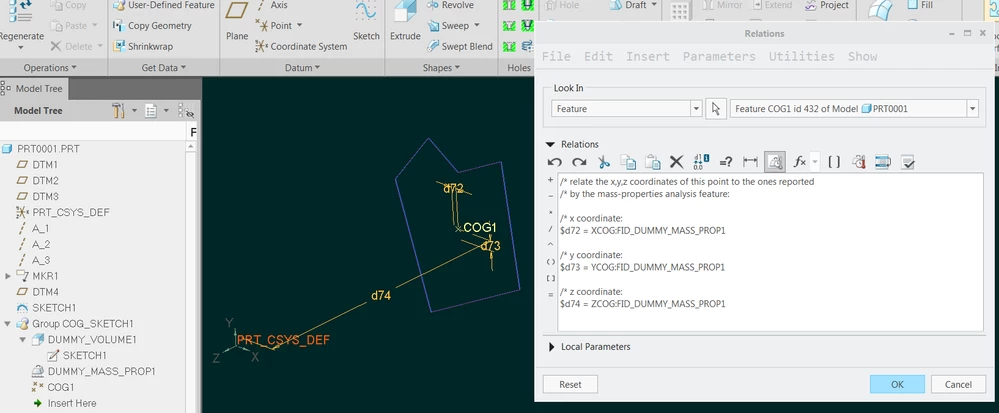
and apply this analysis to symmetrically extruded and capped quilt to obtain the X,Y,Z coordinates of its COG:

pausob_8-1638988842631.png

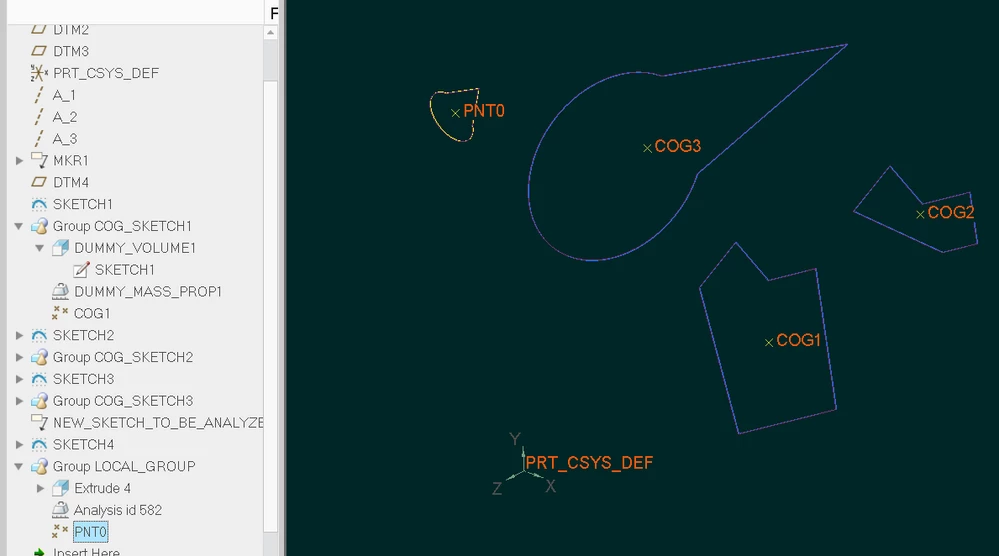
In this example, in generally similar way that you show in the video, I generate point representation of the COG of SKETCH1.  The relations are inside the point COG1 (offset-coordinate-system type) and use the parameters from the mass properties analysis feature DUMMY_MASS_PROP1 - which is applied to the quilt DUMMY_VOLUME1.


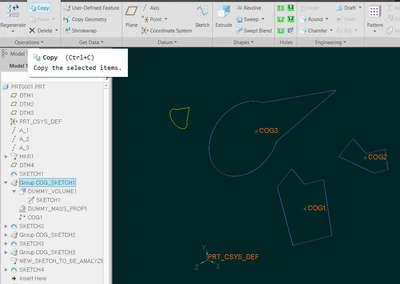
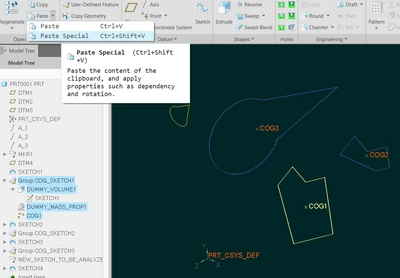
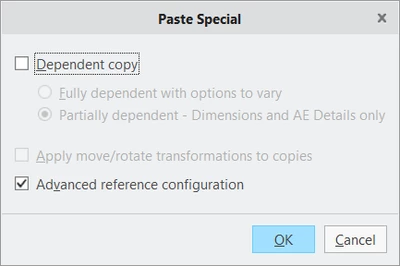
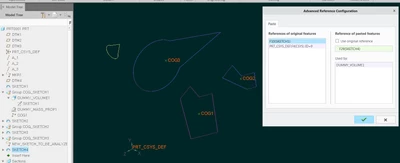
Last thing I'd like to mention is that you can then turn this into an UDF or use the copy and paste-special (+advanced reference configuration) functions to easily generate the COGs for other sketch sections in your part model:

pausob_3-1638988424719.png


pausob_4-1638988455672.png

pausob_5-1638988482661.png

pausob_6-1638988537362.png


pausob_7-1638988561585.png


1 reply

23-Emerald III
December 6, 2021

You can get x-section CGs using x-section mass properties. Then you can use those coordinates to get your points.

Is that where you are going or Am I completely out in left field?

Screen shot is Creo 4.

StephenWilliams_0-1638826007773.png


pimm15-MoonstoneAuthor
15-Moonstone
December 6, 2021

Hi Stephen,


That is what I'd like to do.  When you do this you can view where the center of gravity is, but you can't place a physical point off of the display (unless you have BMX).  The slow road from that point is to copy and paste each X, Y and Z value so that you can place a CSYS.  Once the CSYS is placed you can go into a sketch on the needed plane and reference the CSYS that has the X, Y and Z cut and paste values.  This is quite tedious.

tbraxton
22-Sapphire II
22-Sapphire II
December 6, 2021

You should not have to copy and paste the coordinates when using transforms between reference frames (Csys of Cartesian for x,y,z system). You can use the info measure transform matrix relative to an existing csys in your model. You can save the transform file (.trf) and then use this to place or move a newly created csys to represent the COG. This will semi automate the process without having the BMX module.


measure transform matrix:

http://support.ptc.com/help/creo/creo_pma/usascii/index.html#page/fundamentals%2Ffundamentals%2Ffund_five_sub%2Fto_generate_a_transformation_matrix.html 


After you measure the transform, open the info window and you can save the matrix from within the info window.


Example to create a csys from file using the matrix you have saved:

http://support.ptc.com/help/creo/creo_pma/usascii/index.html#page/part_modeling/part_modeling/part_four_sub/About_Creating_a_Coordinate_System_from_a_File.html