6-Contributor
September 23, 2024
Question

Sub components in assembly can only be master repconfiguration

  • September 23, 2024
  • 3 replies
  • 4038 views

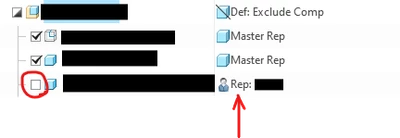
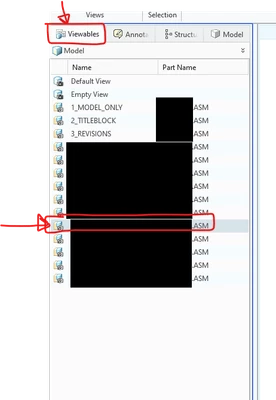
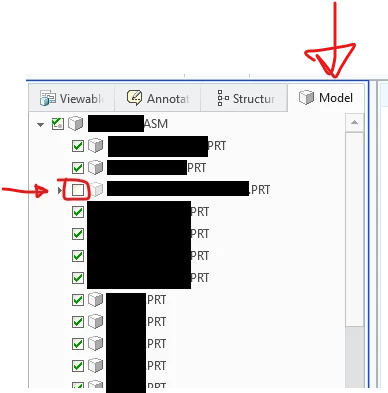
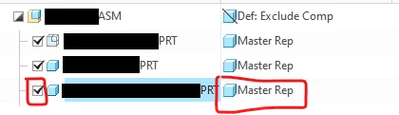
Choosing User Defined for this sub assembly in this simplified rep automatically unchecks the part.  Checking the box sets it back to Master Rep.  How do I get a user defined representation to be allowed to display for this subassembly?
 

Screenshot 2024-09-23 085852.pngin creo

Screenshot 2024-09-23 085811.pngin creo

Screenshot 2024-09-23 130500.pngin pvz

Screenshot 2024-09-23 130546.pngin pvz

3 replies

23-Emerald III
September 23, 2024

The checkmark will toggle thru certain options only, not all options.

But if you select user defined, you can choose any rep of the component selected. Notice the checkbox in the second example, its got a different symbol.

In my example, I didn't have a defined user rep, so I just selected default rep for an example.


StephenW_0-1727098177148.png

StephenW_1-1727098184261.png


6-Contributor
September 23, 2024

Unfortunately, by me selecting user defined, it automatically unchecks the box.  Rechecking the box changes the representation back to master rep.  Without that box being checked, the part is excluded from the .pvz when saving it out.

kdirth
21-Topaz I
21-Topaz I
September 23, 2024

So the issue is more with exporting a .pvz, which I don't have much experience with, of an assembly with a simplified rep.


I would suggest opening a support case with PTC.

There is always more to learn.
kdirth
21-Topaz I
21-Topaz I
September 23, 2024

First the user defined rep is on a part. 

kdirth_0-1727098708044.png


When you pick a user define rep for a part the box is unchecked, but the part is shown in the desired rep.

kdirth_1-1727098744710.png


There is always more to learn.
6-Contributor
September 23, 2024

Yes, the problem is that when saving the assembly out as a .pvz the parts that are not checked are excluded.  So while it looks fine in the creo assembly, I am unable to save it out properly for others.

Community Manager
October 7, 2024

Hi @CB_11916535,


I wanted to see if you got the help you needed.

If so, please mark the appropriate reply as the Accepted Solution. It will help other members who may have the same question.
Of course, if you have more to share on your issue, please pursue the conversation. 


Thanks,
Anurag