

1-Visitor
October 2, 2014
Question

Best CAD mouse

  • October 2, 2014
  • 11 replies
  • 23660 views

I'm looking to buy a new mouse. What type of mouse do you use/recommend for a heavy Creo user? What is the best CAD mouse?

My current HMI consists of a SpacePilot Pro, an entry level keyboard and a mouse. Recently, my Corsair Vengence M60 died and I switched to a MS Wireless Mouse 5000. The middle click on the MSWM5000 is too complex; scroll, tilt, and click. Itโ€™s too much and it gets in the way.

Iโ€™m looking for something high performance but still basic. For Creo, a decent middle click is required which is hard to find. Basically, Iโ€™m looking for a mouse that has high resolution, decent buttons (not too light, not to hard), maybe some programmable buttons, and preferably no third-party software to run it. The Corsair software was preventing a few on-screen menus to work properly.

I included a pic of my setup pending the upgraded mouse.
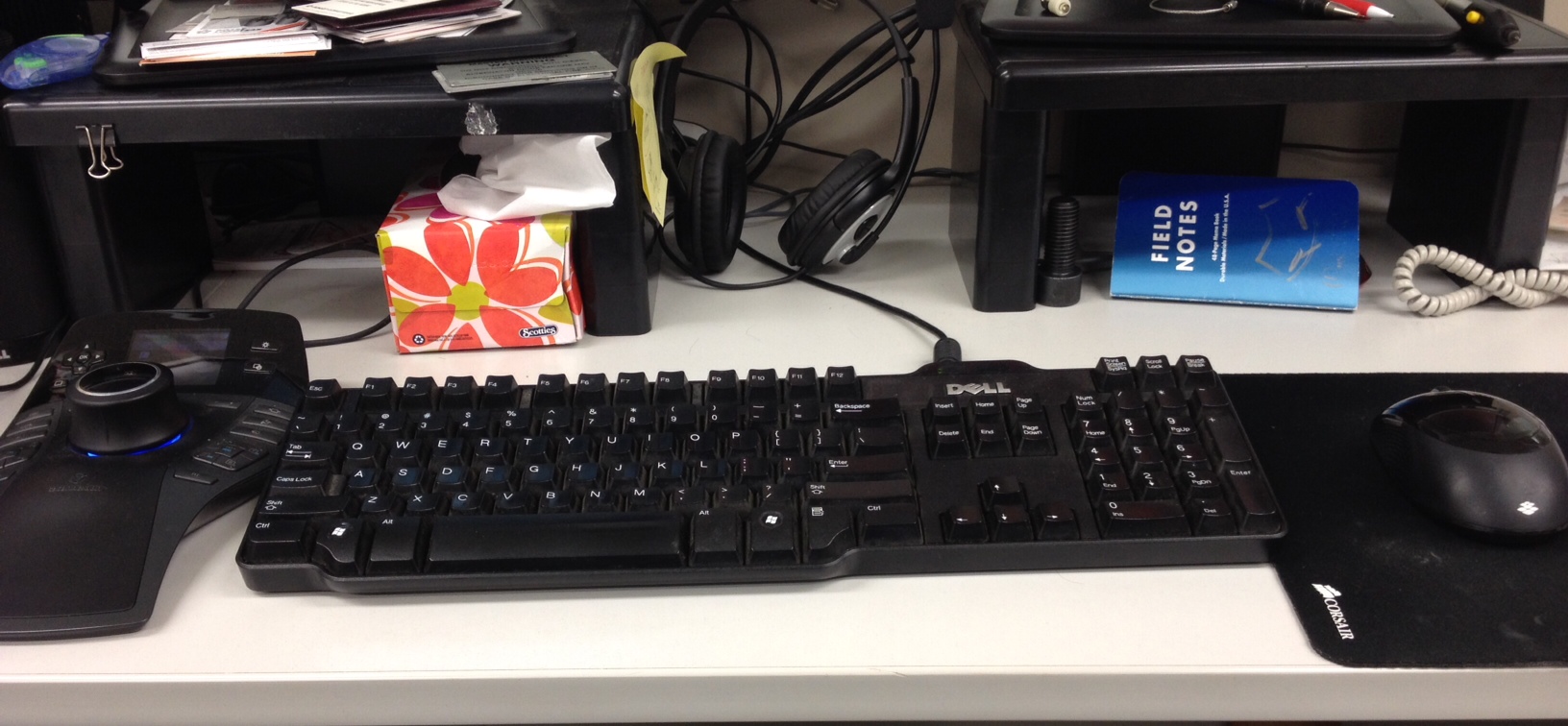
photo.JPG

    11 replies

    17-Peridot
    October 2, 2014

    Welcome to the forum, Renรฉ

    I tend to use any 3-button mouse.

    Simple is better. The one I am using now is one PTC sent me.

    Wired and sizable w/ center button wheel.

    13-Aquamarine
    October 2, 2014

    Rene,

    The setup that work well for me is a Spacemouse Pro + Logitech G400s gaming mouse.

    http://www.newegg.com/Product/Product.aspx?Item=N82E16826104838

    This is probably the best mouse that I've ever used.

    Rick Z.

    1-Visitor
    July 31, 2015

    Had a G400s - stopped using it

    Pros     LMB RMB nice & accurate and light clicking

    Cons    CMB action stiff, long stroke and inaccurate

                 scroll wheel unergonomic - too far back

                Driver is bloatware 30MB

    Anyone tried the newer one  G402 ?

    1-Visitor
    October 2, 2014

    I got a loaner Evoluent mouse and it is the best mouse I've used, highly recommend it.

    However, I'm having a hard time getting the scroll wheel to zoom. I'm using XMBC Portable and have played with the settings but nothing works. Maybe the official drivers will work when I install them.

    While looking at Evoluent's site I came across this keyboard and had a "take my money" moment.

    http://www.evoluent.com/kb1.html

    Dale_Rosema
    23-Emerald III
    23-Emerald III
    October 2, 2014

    Hey Ryan,

    The problem with that keyboard is that I 10 key frequently and it would drive me nuts to not have the number pad.

    I have a Logitech M705 mouse that I has been good to me.

    1-Visitor
    October 3, 2014

    this may sound silly but moving over from other software to Creo has my left hand very bored. I don't seem to use it nearly as much as I have with software in the past. ๐Ÿ˜‰

    i don't like my hand leaving the mouse, which may sound silly too.

    14-Alexandrite
    October 2, 2014

    I would say if you are used to moving the mouse very fast, stick to something in the gaming realm, which it sounds like you are. But 2 main reasons, they don't usually turn off when they stop moving, and you get a high poll rate on the USB, so you can't move and click faster then the mouse can register.

    I have a Logitech G400, and I would not call it great. I'm just used to it because I used the MX518 for awhile and this is basically the upgrade to it. I tried I think it was the G9X awhile ago and the scroll wheel was too difficult for middle clicking.

    As far as best mouse? That's too subjective, IMO.

    And as a side note, I want to try one of the Corsair mechanical keyboards, if anyone has experience with those, please share. I have a Logitech G15, and the button stroke is WAY too long for a gaming keyboard.

    1-Visitor
    October 3, 2014

    Keep it simple & must have programmable buttons!

    Give me a standard keyboard w/ keypad, 3DConnexion device (SpaceMouse Pro - current fave), and an optical 5-button intellimouse. I prefer the center click-scroll NOT to go side-to-side. On many mice, the scroll (side-to-side) are too easy to activate. I do have a Logitech M305 for my mobile workstation that works well. It has a stiffer side-to-side scroll, which makes a MMB click (w/out scroll) much easier.

    I do prefer USB cordless over Bluetooth, which seems to be very glitchy. Every USB wireless device I've used doesn't have a 'process' to connect to the computer, and have been rock-solid in use. I really like the nano USB transmitters.

    I try to reduce the amount of hand travel from device to keyboard, just for efficiency. I've even tried a keypad mouse... but, didn't like the big square shape. Although, I would use it for a laptop with no keypad, if doing number crunching or CAD work.

    intellimouse.pngM305.png

    23-Emerald III
    October 3, 2014

    I personally use the Evoluent vertical mouse. A few years ago I developed a sore wrist and tried the vertical mouse and the pain disappeared. It comes with the all the normal driver adjustments and speed adjustments. evoluent.jpg

    17-Peridot
    October 3, 2014

    I can see how this would help.

    rmignault1-VisitorAuthor
    1-Visitor
    October 3, 2014

    Thanks guys. Good information for sure.

    1-Visitor
    October 7, 2014

    Being a hardcore creo user for almost 8 years now, Ive tried most popular solutions for cad programs but the thing with Creo is that there are so many options that require a lot of mouseclicks (lets not go there..). Its therefore nice to have a mouse with lots of butttons which you can link to mapkeys to save time and effort. I dont care what others say.. In my experience the logitech m500 is a cheap and really great mouse. For example Ive linked activate window, refresh and select parent to a mouse button. I dont like using the keyboard for mapkeys because i would have to move my arm to much which makes me sit less comfortable in my really expensive office chair (which is also very important when using Creo). When working very fast my hand gets tired and I regularly switch to using the logitech mx610 left-mouse with my left hand. For some reason they dont make this mouse anymore at logitech. I wish they would make a left hand version of the m500. Another tip: pick a size mouse that fits the size of your palm. A mouse that is too small kills your hand.

    Cheers.

    14-Alexandrite
    October 7, 2014

    Hi Renรฉ

    You present a question that seems to come up every other year or so - and it should, since technology changes. Can't avoid putting my 2 cents worth of opinion in here...

    Productivity in Creo is all about reducing the keystrokes you need to get YOUR work done... and one of the best ways to do that is with customized macros/mapkeys. I agree with 'bj p' above. Get yourself a mouse with lots of programable keys - such as a Razer Naga with its 19 programmable buttons (they make both right and left handed versions). On mine, every key is a mapkey in Creo - 1 turns datum planes on/off - 2-Axis, 3-Points... 10 is Front View, 11-Top, 12-Left, 8-Default. I have a keyboard mapkey SCV to Save Custom View - then every time I hit VC - View Custom on the keyboard, or #9 on my mouse, I immediately return to that view. I programmed the tilt-wheel to do Sheet-Forward and Sheet-Back while drawing - if the tilt-wheel is an irritation - turn those buttons off. Good use of the mouse buttons means 19 frequently used Creo functions that I don't have to go to the keyboard for.

    In my experience, I've never been able to get a wireless mouse to keep up with a good USB hardwired mouse.

    There are some 3D mice that have lots of buttons as well. Having the necessary mapkey buttons on your primary pointing device will reap multitudes of productivity gains while the 3D mouse sits dormant 90 percent of the time. Both the 3D mouse and a programmable multi-button mouse take some time to learn to use proficiently. In my opinion a correctly programmed multi-button mouse will be the most productive and do more to impress whoever is looking over your shoulder as things happen on the screen while you barely move your hand.

    Respectfully

    rmignault1-VisitorAuthor
    1-Visitor
    May 14, 2015

    Has anybody tried the new 3D Connexion CADMouse?

    It's expensive but has a dedicated middle button. I'm curious to know if it's worth to try it out.

    14-Alexandrite
    May 14, 2015

    This is the first time I have seen it, but spec-wise it looks pretty nice. I wonder if the scroll wheel also clicks (or side shifts)?