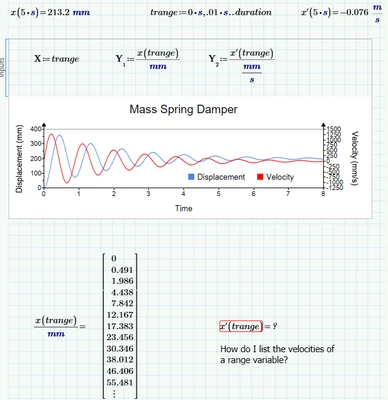
Now I got access to a Prime license and can testdrive your sheet.
As ttokoro already has shown, the evaluation fails at the left end (0 s) of the interval of valid values. So it look like the numeric derivative algorithm only uses the left neighbour for its calculations.
The workarounds I described still apply.
Here is one way. I defined functions for the first and second derivative and trapped the error with try...on error..
Then I used these functions to calculate the values (using vectorization) and assigned it to variables (capital X).
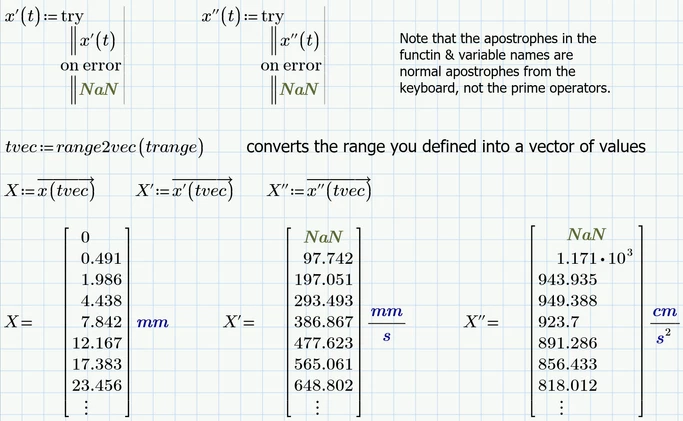
The function range2vec used to convert a range into a vector is provided in the attached Prime 10 sheet. Starting with Prime 11 you could use the new built-in function "vec" to do the very same task.
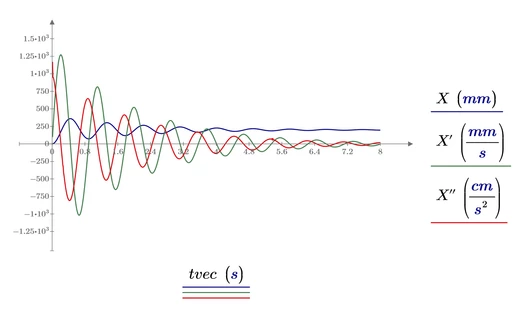
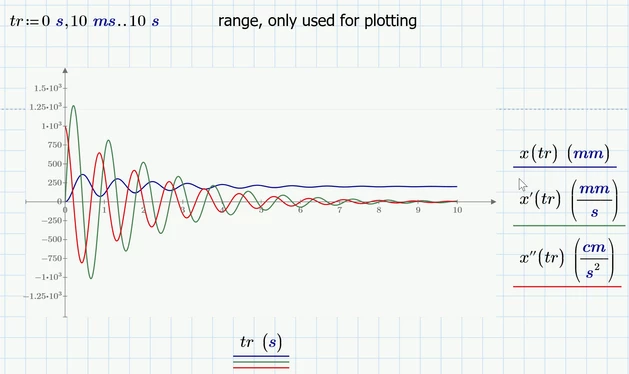
You may also use the vectors created for plotting
I tried if Prime would be able to symbolically solve your ODE and succeeded.
It may have been a better idea to do so before the variables are defined as Luc has shown, but I did it using the already defined constants. Because the symbolics does not know anything about units it can't simplify the result and so it looks quite a mess 😉

For the function x(t) to be evaluated numerically as we need its mandatory to turn on the option "Units/Constants in Symbolics". It may be necessary to let the sheet recalculate after enabling this option.
Now you can define a vector for time values (the necessary "vec" function is provided in the attached sheet - its built-in starting with P11) and create corresponding vectors for displacement, velocity and acceleration.
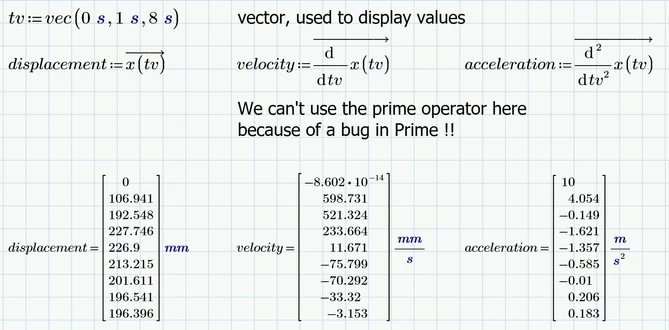
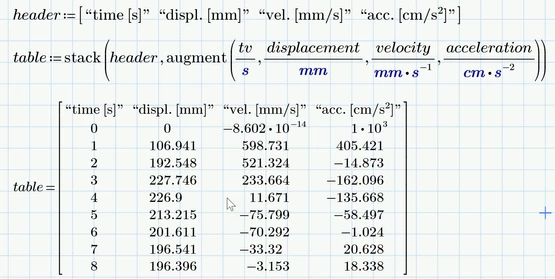
If you like you may also create a table of values
A time range variable should only be used for plotting
Prime 10 sheet attached