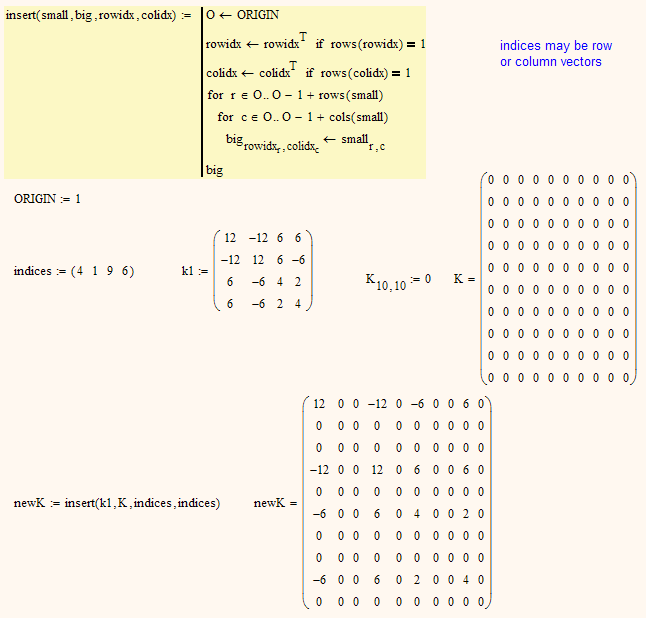
1-Visitor
September 24, 2016
Solved

Is there a way to extract a specific range of rows and columns from a matrix?

  • September 24, 2016
  • 3 replies
  • 15383 views

In Matlab, when I plan to extract a submatrix from a large matrix in the following situation:
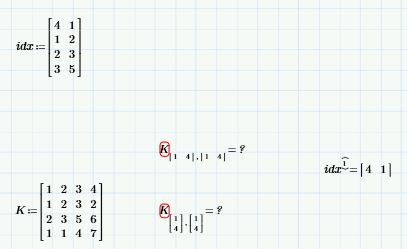
Capture.JPG

Say I want to extract row and column 1 and 4 from K, I can create an index matrix and do this:

idx = [4 1; 1 2; 2 3; 3 5];

k = K(idx(1,:),idx(1,:));

But in Mathcad, the built in function submatrix can only extract continuous row and column ranges.

Is there a way to let Mathcad do the same job as in Matlab?

Best

Shawn

Best answer by Werner_E

So far I guess the following should help. You can extract the appropriate row of your idx matrix using Primes row selector.

3 replies

23-Emerald IV
September 24, 2016

That is not supported as a built in function. You can program it though.

Luc

16-Pearl
September 26, 2016
25-Diamond I
September 26, 2016

Say I want to extract row and column 1 and 4 from K,

You are not just looking for the extraction of a single matrix element, or are you?

Or do you really mean what you write - extracting the full first and fourth column and also the first and fourth row. This would mean that in your example you want to extract 16 values and four of them would be extracted twice. If that is what you are after, you would have to tell us in which way you would like the 16 (or 12) value being arranged - which data structure.

In case you are looking for a way to extract a couple of matrix elements whose indices are given by a matrix "idx" and collect those elements in a vector, the following two methods should help. Otherwise you would have to come back and specify more detailed what kind of result you are expecting.

BTW, the value 5 in your idx matrix seems to be wrong anyway, even if you set ORIGIN to 1.

23-Emerald V
September 26, 2016

Werner Exinger wrote:

Say I want to extract row and column 1 and 4 from K,

You are not just looking for the extraction of a single matrix element, or are you?

Or do you really mean what you write - extracting the full first and fourth column and also the first and fourth row. This would mean that in your example you want to extract 16 values and four of them would be extracted twice. If that is what you are after, you would have to tell us in which way you would like the 16 (or 12) value being arranged - which data structure.

In case you are looking for a way to extract a couple of matrix elements whose indices are given by a matrix "idx" and collect those elements in a vector, the following two methods should help. Otherwise you would have to come back and specify more detailed what kind of result you are expecting.

BTW, the value 5 in your idx matrix seems to be wrong anyway, even if you set ORIGIN to 1.

‌5 would be wrong as an index into K as given; however, the example he gives is the Cartesian product of the first row of idx (that is, combinations of 4 and 1), so Matlab will return a 2x2 array of those elements.  I've got a few functions that will do vaguely what he wants ... I'll dig them out tomorrow when I've got access to the PC I've got them on.I

A Proper indexing system would be so helpful in cases like this. 😞

Stuart

sfan1-VisitorAuthor
1-Visitor
September 26, 2016

Thank you, Stuart.

I posted a similar question before and I remember you answered me on that.

I really appreciate that.

For this homework, I used Matlab to assemble the matrix and it is pretty handy that in Mathcad Prime I can paste the matlab code to demonstrate the process.

Sorry that I lost the function you gave me last time, I changed my computer but I have created a folder in One Drive so that I can always keep the helps from community back up.

I would agree on that Matlab is more flexible in terms of programming, but this semester after my professor pushes the request for units, I found Mathcad really powerful.

Luckily I am not doing Finite Element in Mathcad so that I don't have to assembly a lot.

Thank you guys so much for sparing your time helping the community grow!

Best

Shawn